P&D MMS: Designing and Building a P&D Machine Management System
Project Showcase · COM7112 & COM7114 · Orville Fernandes
The Project
The P&D Machine Management System (P&D MMS) is a web-based operational tool that within the scenario was developed for Watford Borough Council's parking infrastructure team. It allows staff across different roles – traffic wardens, customer service staff, technicians, cash collectors, and managers – to log issues, schedule maintenance, record cash collections, and monitor the status of Pay & Display machines deployed all across Watford. The system is intended to replace what was, prior to this project, a fragmented collection of spreadsheets managed across different teams with no shared data model.
This showcase covers two separate modules. The database schema was designed and implemented in COM7112 (Information Systems and Database Design), which assessed the relational design, normalisation, and data integrity enforcement of the system. The web application was built in COM7114 (Programming for Business), which took that schema and built a working front end on top of it. I have chosen to present them together because that is what they are: two stages of the same project.
What the System Needed to Do
Watford Borough Council operates a network of Pay & Display parking machines across the town. Each machine can be moved between locations, taken out of service, replaced, or upgraded. Machines develop faults that need to be recorded and addressed. Cash needs to be collected and recorded. Service and maintenance work needs to be logged against specific machines and linked to the issues that triggered them. Different staff members need access to different parts of the system.
One of the core design challenges was that a machine and its location are not the same thing. A machine deployed at a location today may be moved tomorrow. The system needed to track not just where a machine currently is, but where it has been, when it was deployed, and when it was retired from a given location. Getting that relationship right was one of the central problems of the database design.
The Database – COM7112 92 / 100
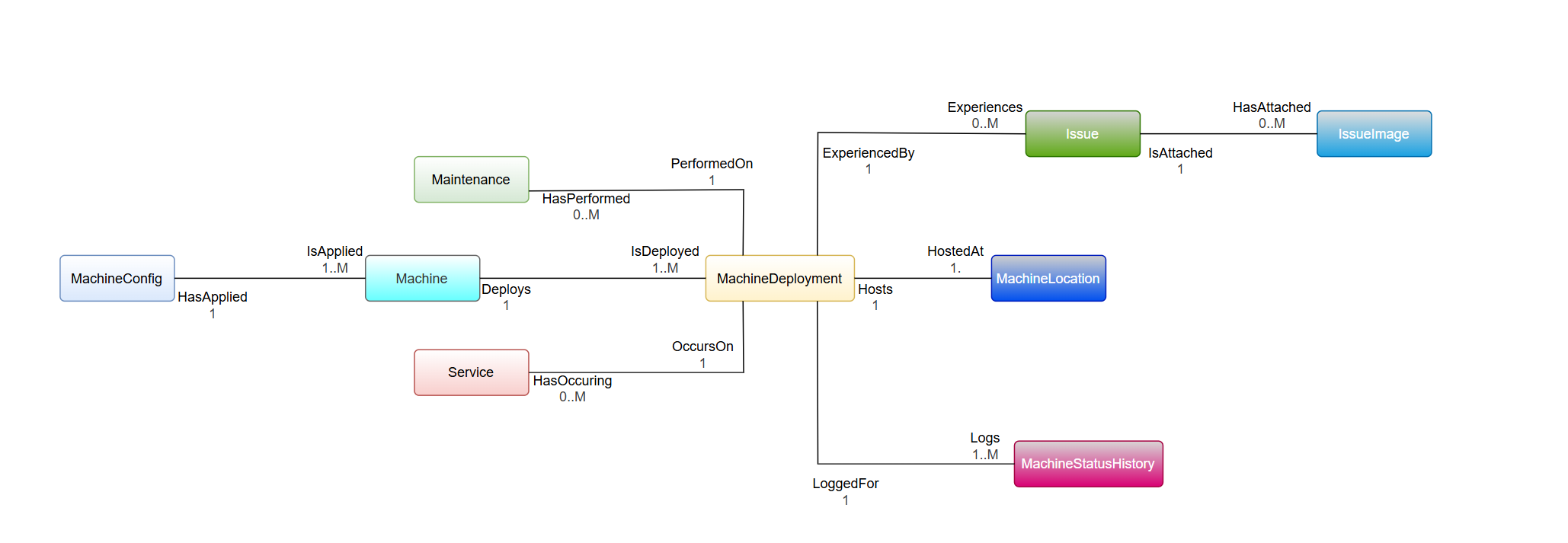
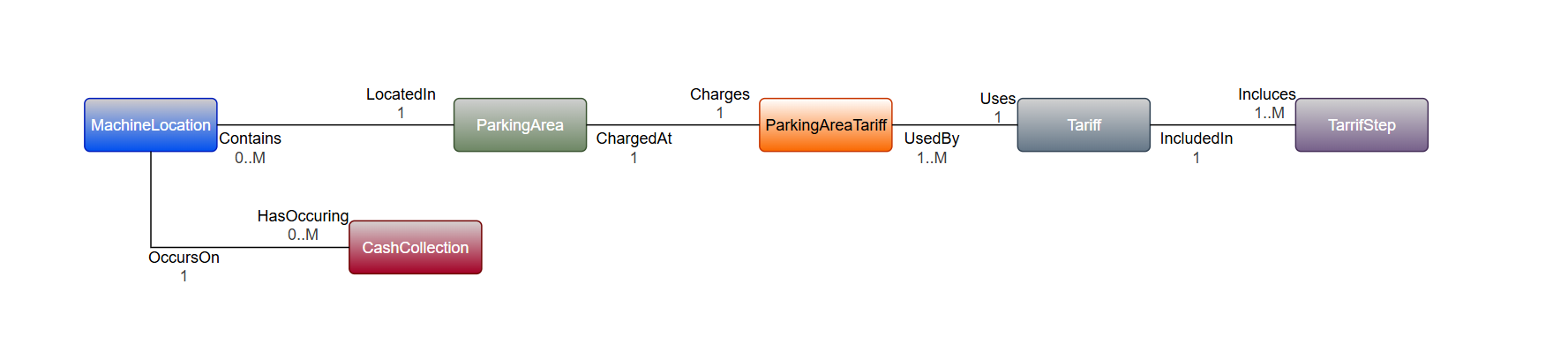
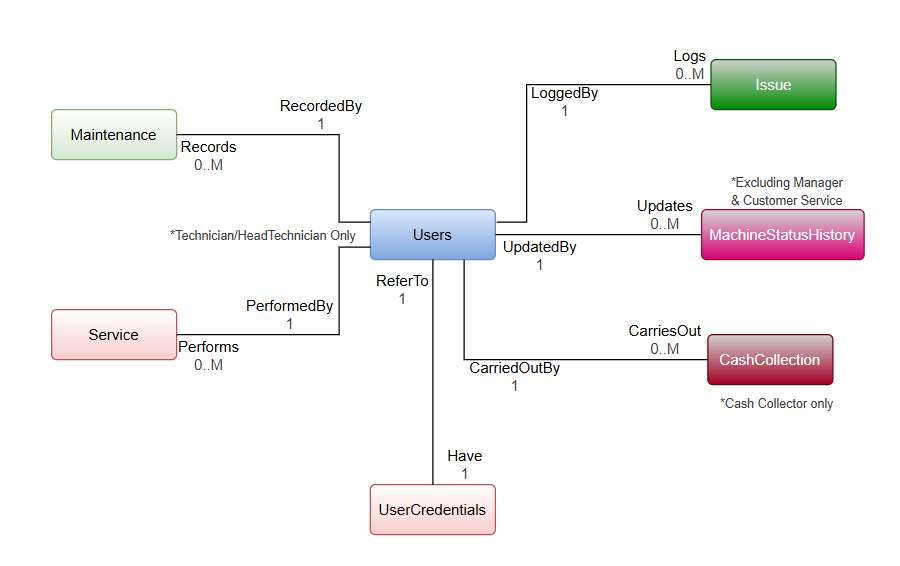
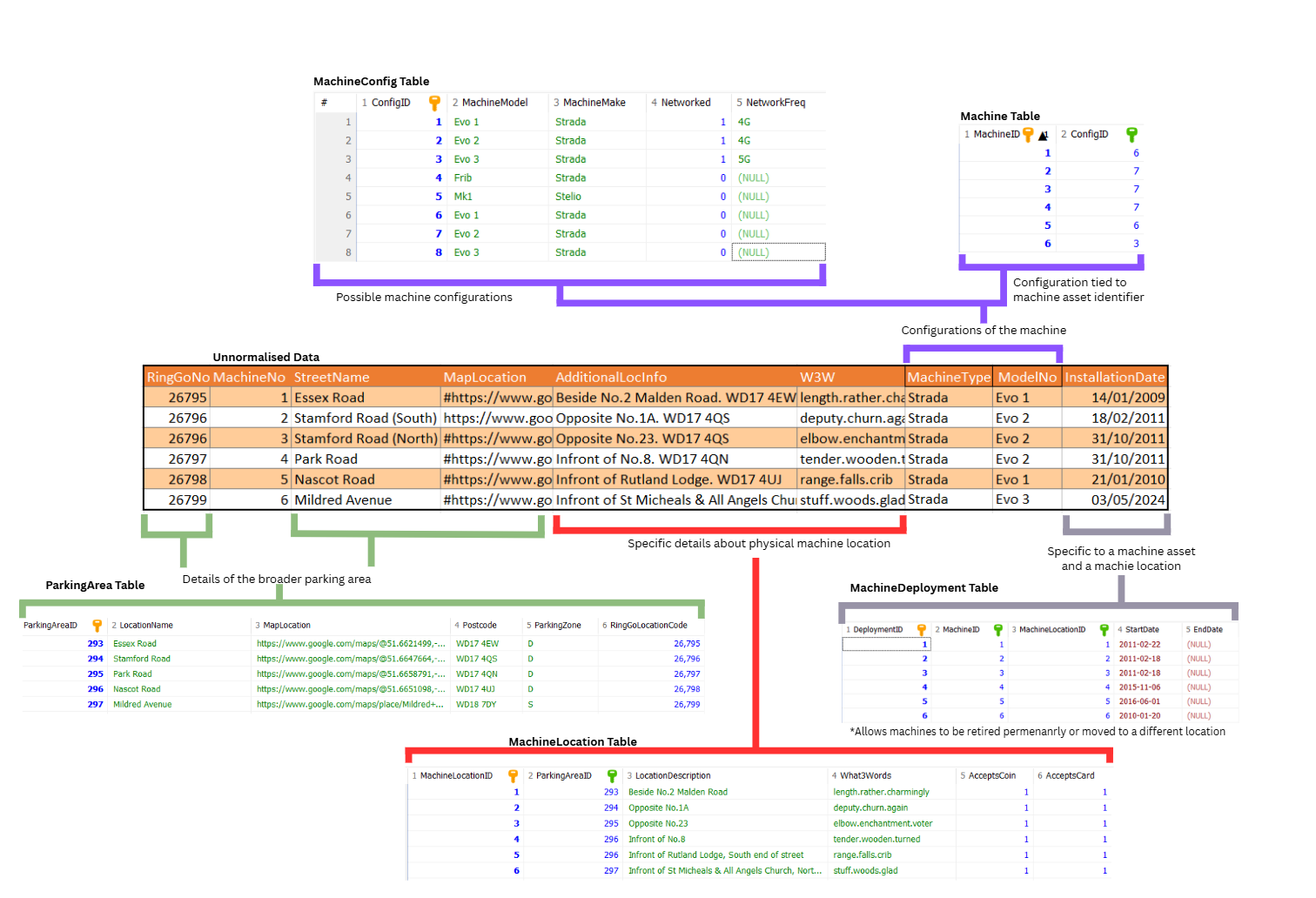
The schema was designed from scratch to support the operational requirements above. The final design comprised fifteen core entities, covering machines and their configurations, deployment history, locations and parking zones, issue tracking with image attachments, service and maintenance records, cash collection, tariffs, and user access control. The design went through full normalisation to third normal form. The implementation was done using HeidiSQL.
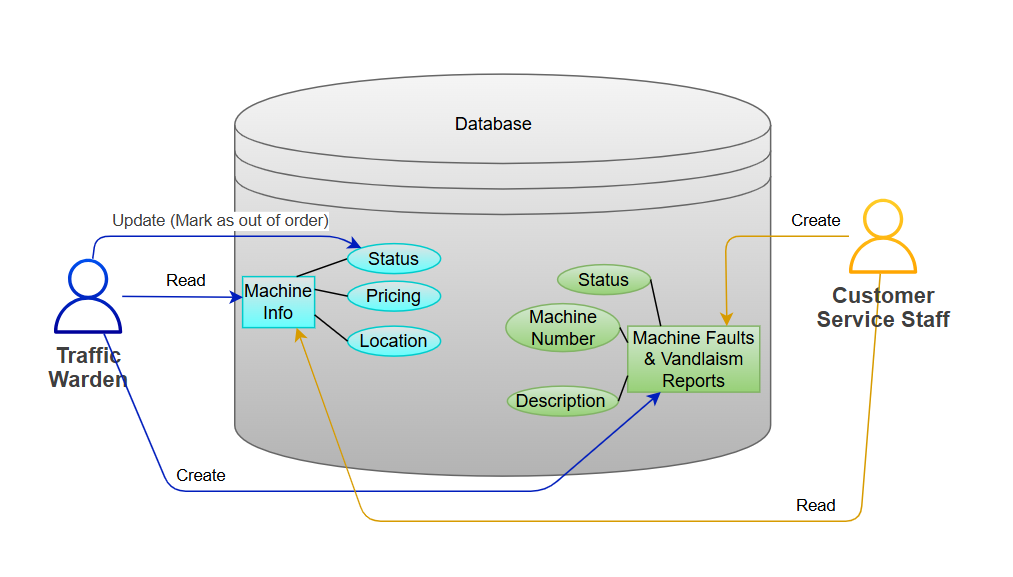
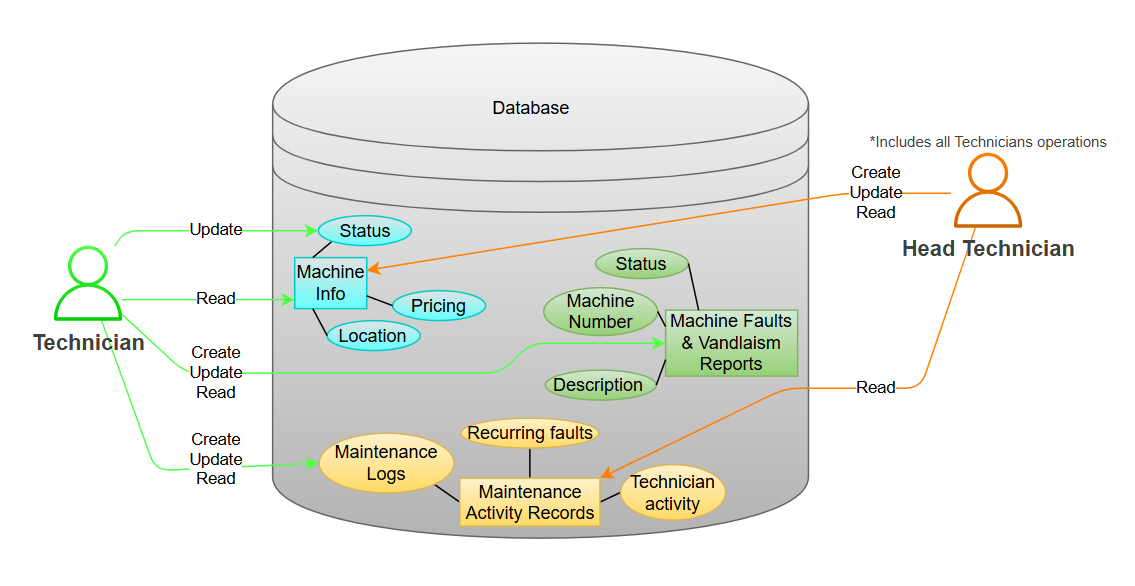
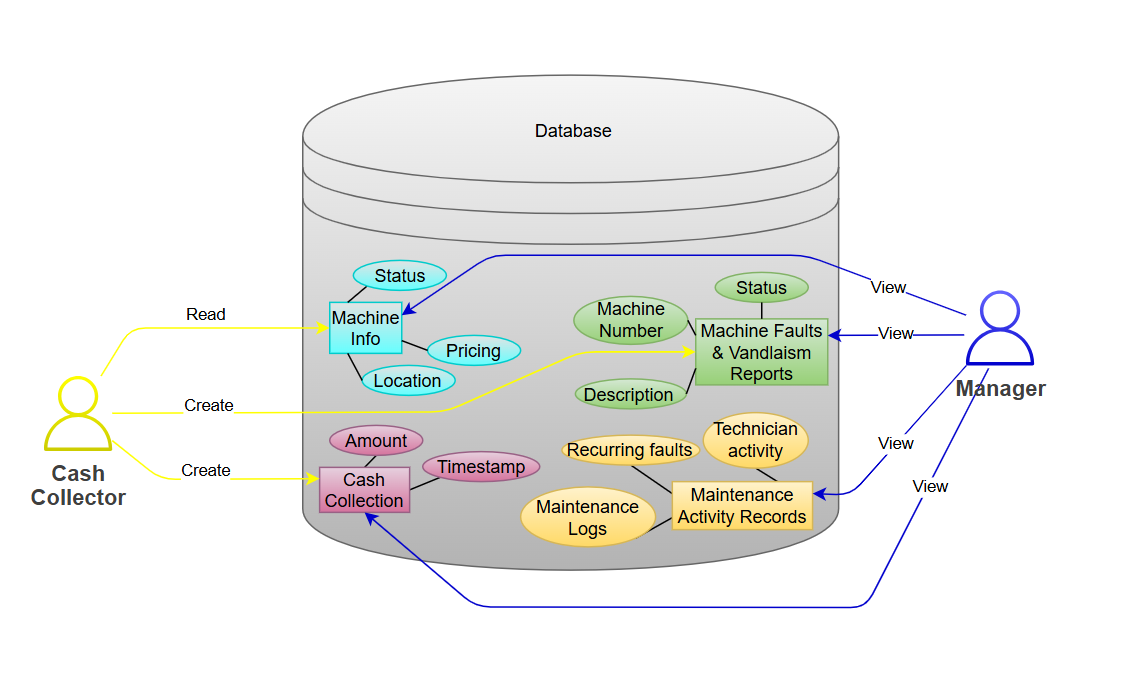
User Requirements Diagrams
Entity Relationship Diagrams
Normalisation
The design went through full normalisation to third normal form. The process for a selection of tables is illustrated below.
MachineDeployment Design Decision
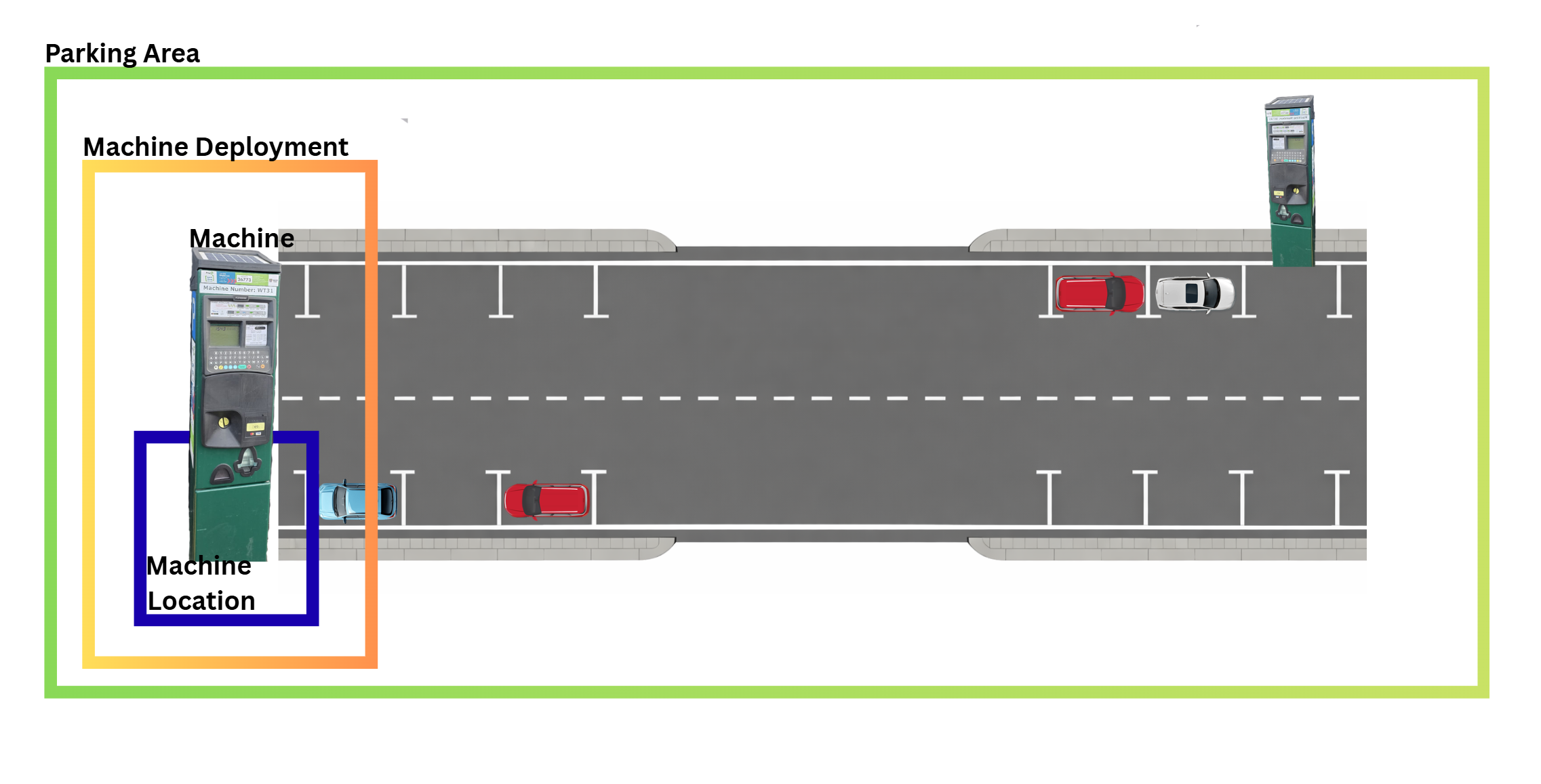
A significant design decision in the schema was the introduction of MachineDeployment as an associative entity between Machine and MachineLocation. Without it, the relationship between a machine and a location would be a simple many-to-many join – which would make it impossible to track when a machine was deployed to a location, when it was retired from it, or what its status was at any given point in time.
MachineDeployment resolves this by treating each deployment as a record in its own right, with a start date, an optional end date, and a status. This means the system can answer questions that a flat join cannot: which machine was at a particular location in February? When was this machine last moved? Is there currently an active deployment at this location, or is it unoccupied? It also enforces a business rule that would otherwise be difficult to implement: at most one machine can be actively deployed to any given machine location at any given time.
A related decision was to store payment capability at the MachineLocation level rather than on the Machine entity. Whether a location accepts card payments is a property of what has been configured at that location, not a fixed attribute of a particular machine. This distinction matters when machines are moved: the location's capabilities remain accurate regardless of which physical machine happens to be there.
Role-Based Access Control via SQL Triggers
The system supports six user roles: Traffic Warden, Customer Service, Technician, Head Technician, Cash Collector, and Manager. Each role has a defined set of permissions over the data. Rather than enforcing these permissions entirely in application code – where they can be bypassed or misconfigured – the access control rules were implemented directly in the database using SQL triggers on INSERT and UPDATE operations.
Triggers fire at the database level before data is written, checking the role of the user initiating the operation and rejecting it if the role is not permitted. This means that even if a front-end bug or a direct database connection attempted an unauthorised write, the database itself would reject it. The application layer enforces the same rules in code, but the database layer provides a second line of defence that does not depend on the application behaving correctly.
The Web Application – COM7114
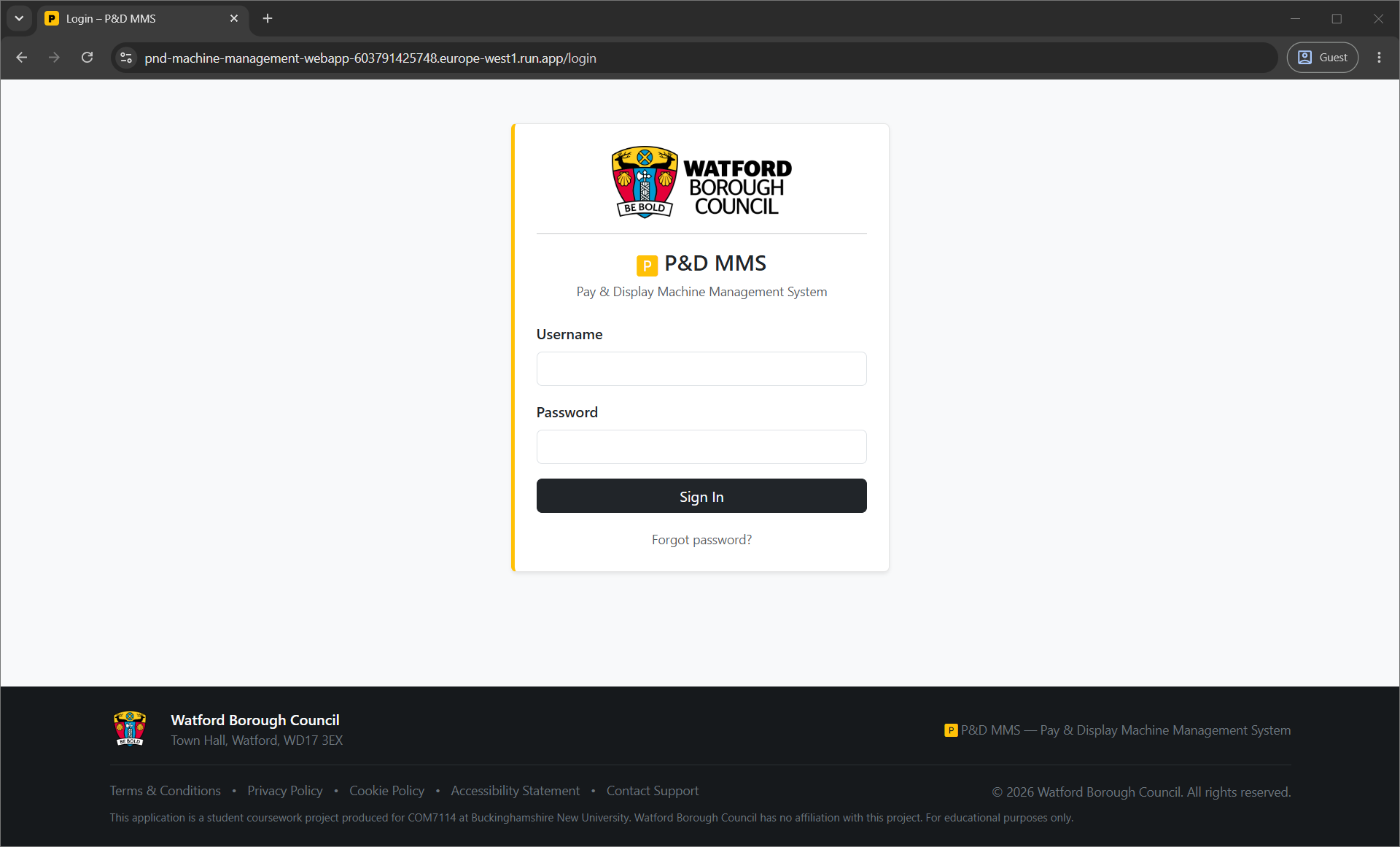
The Flask application was built directly on the database schema from COM7112, using a MySQL backend. The application implements the same six-role access model in the front end: every user logs in with a role-specific account, and the UI they see is determined by their role. Navigation cards, menu options, and available actions all change depending on who is logged in.
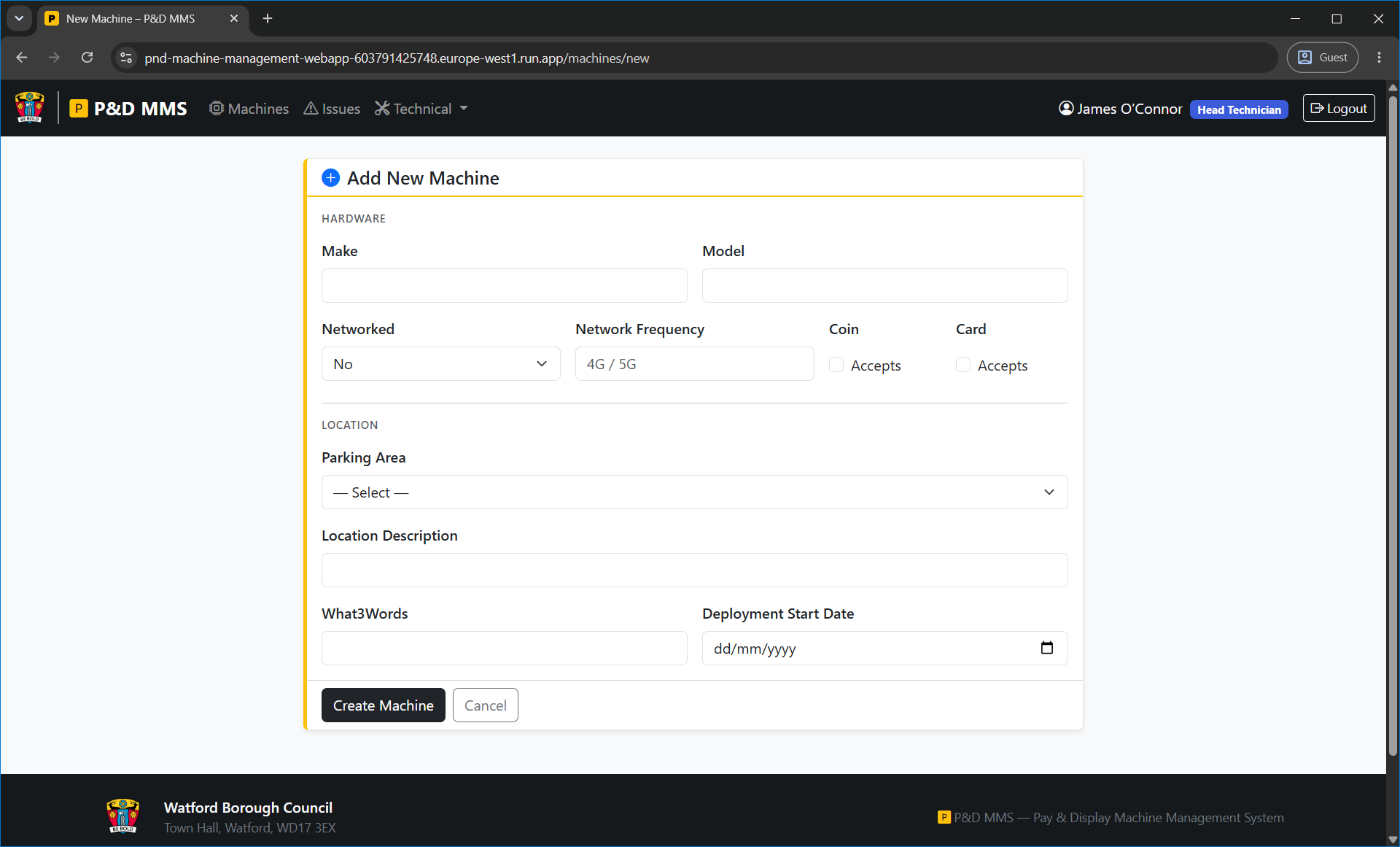
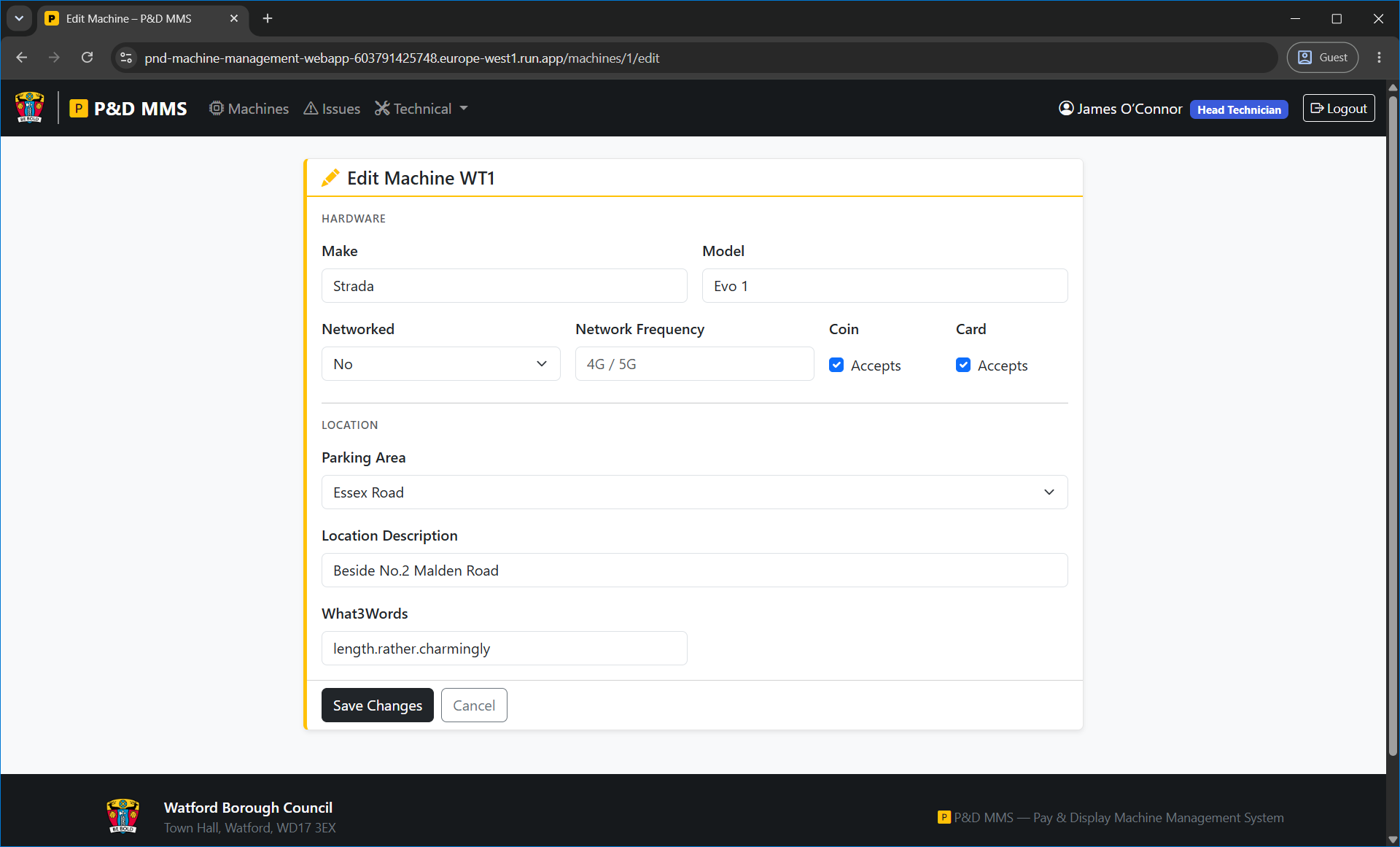
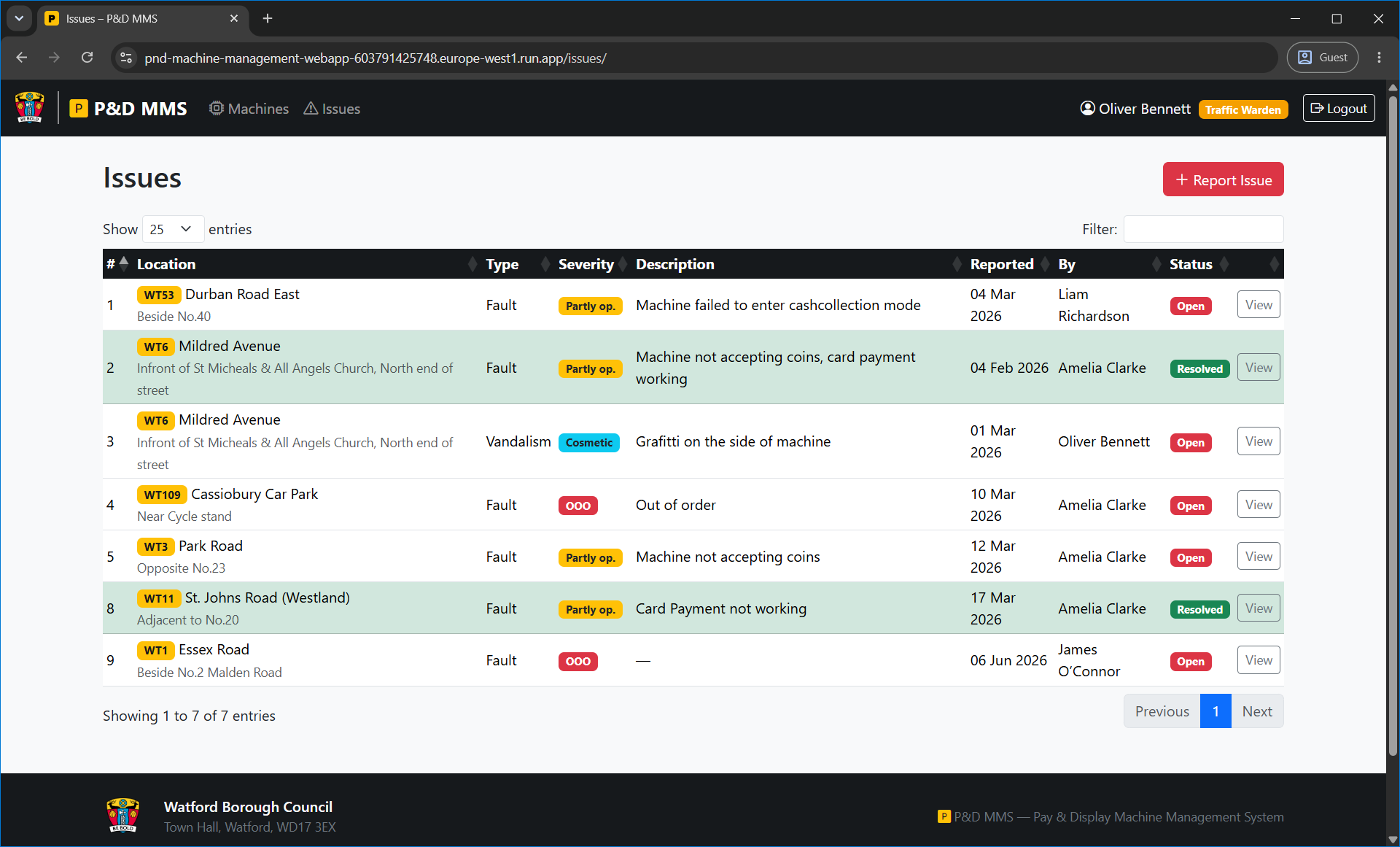
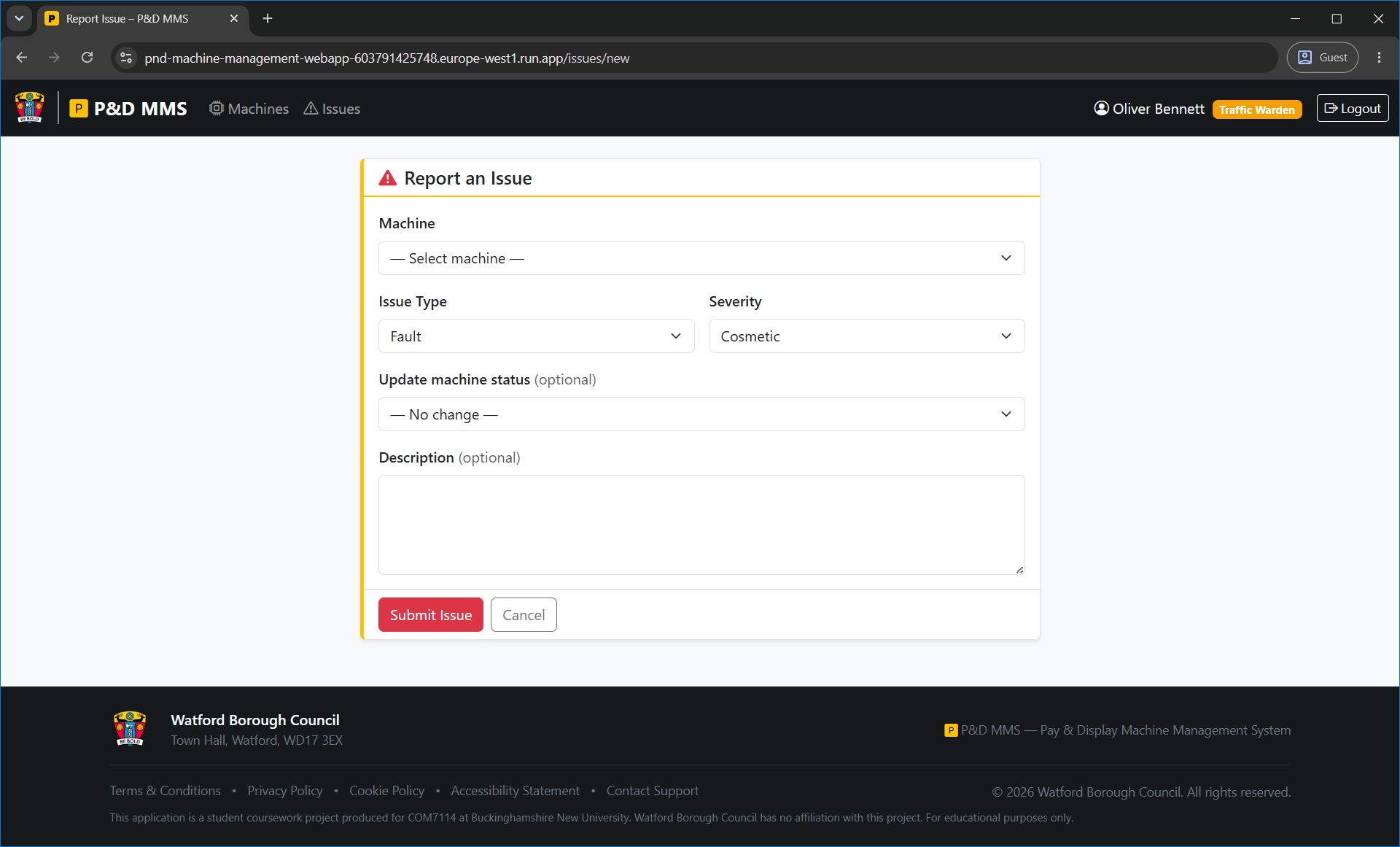
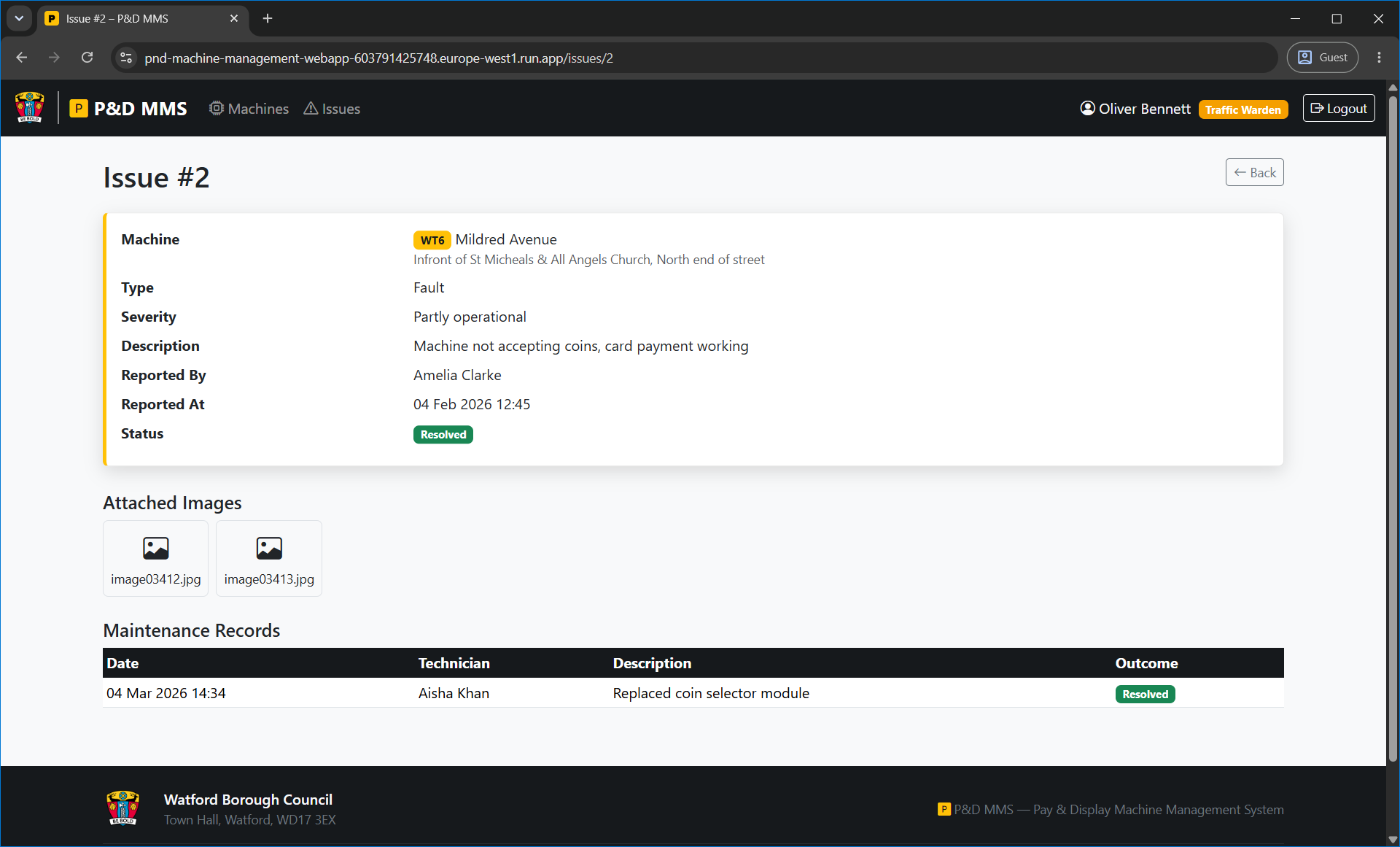
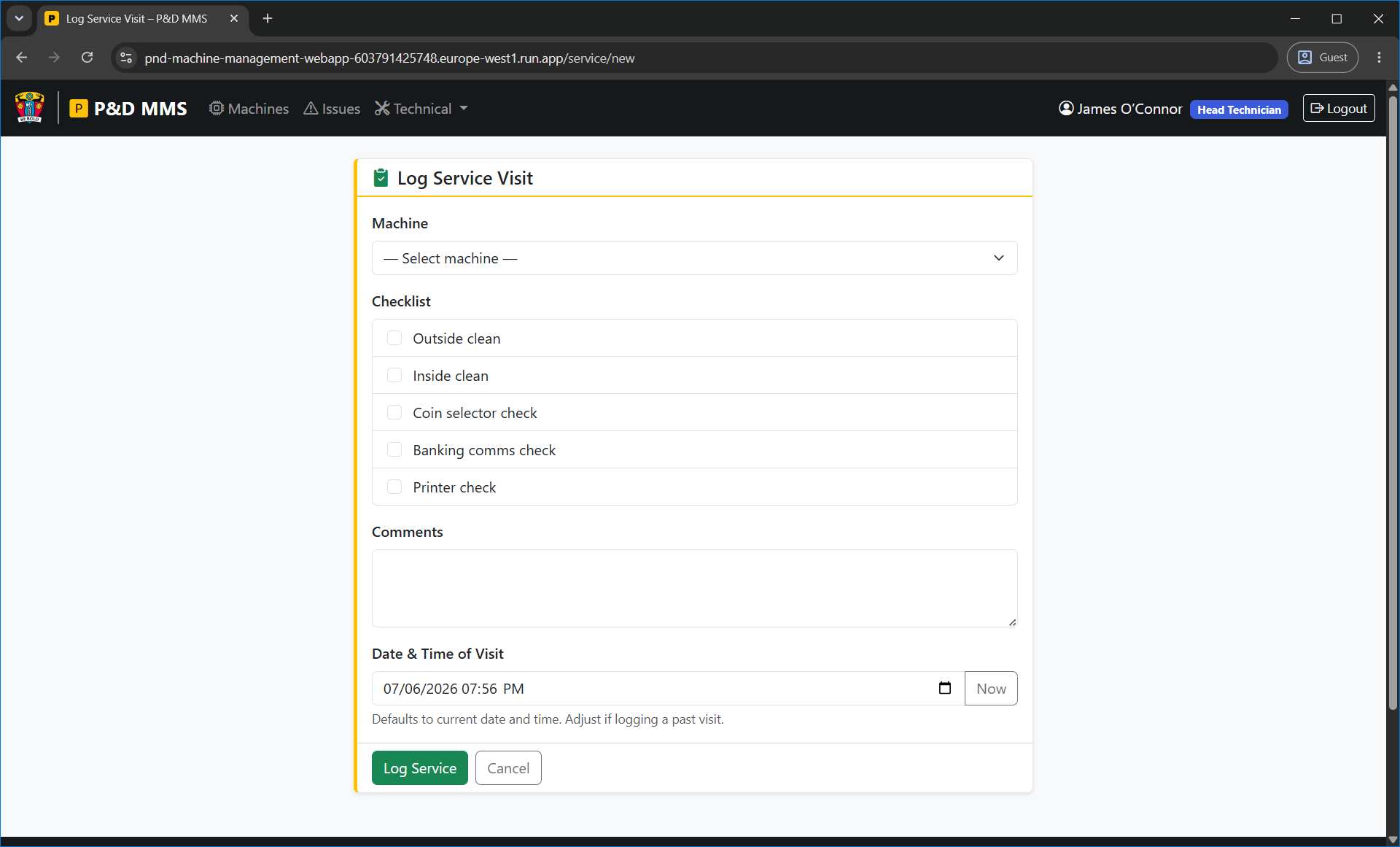
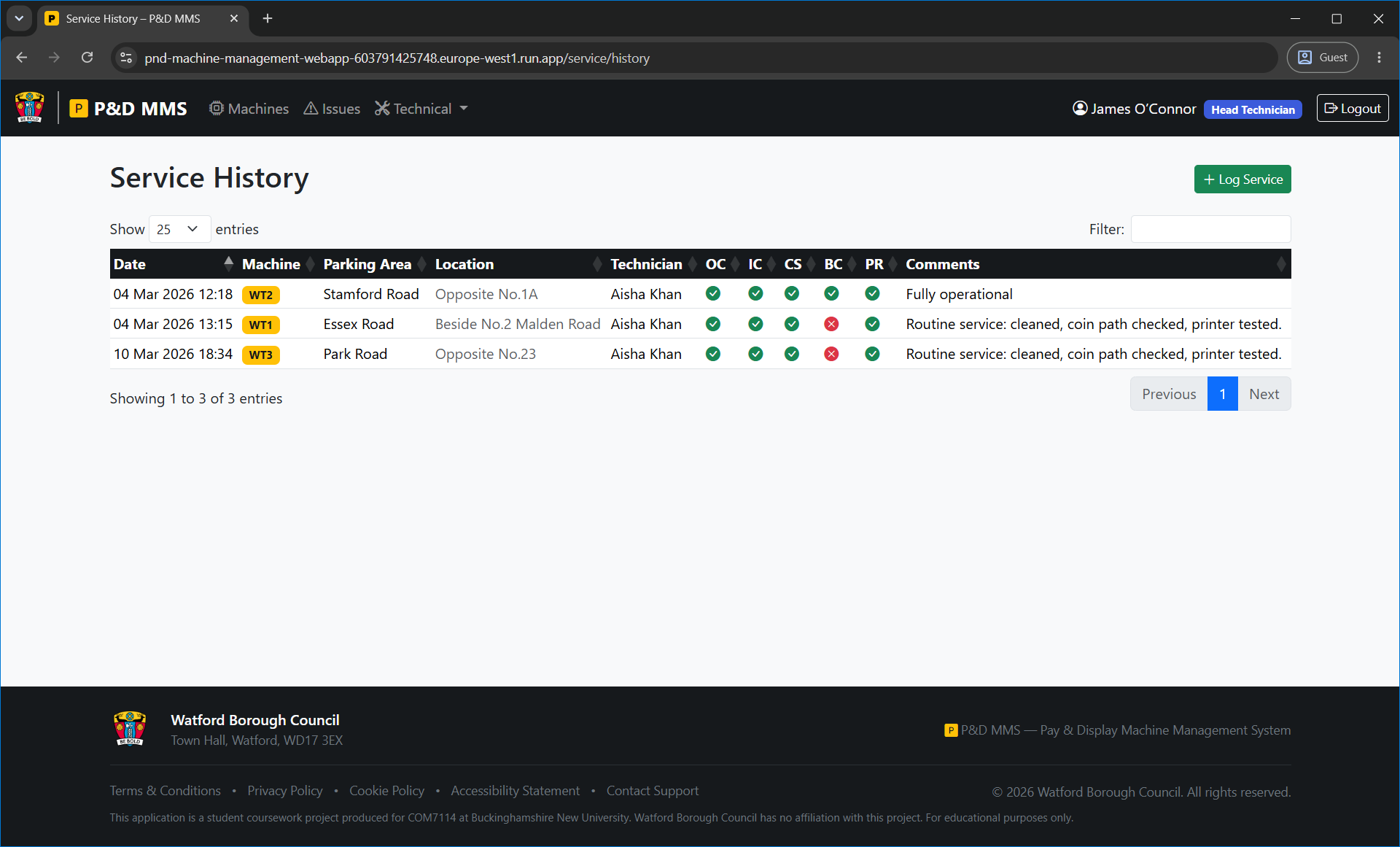
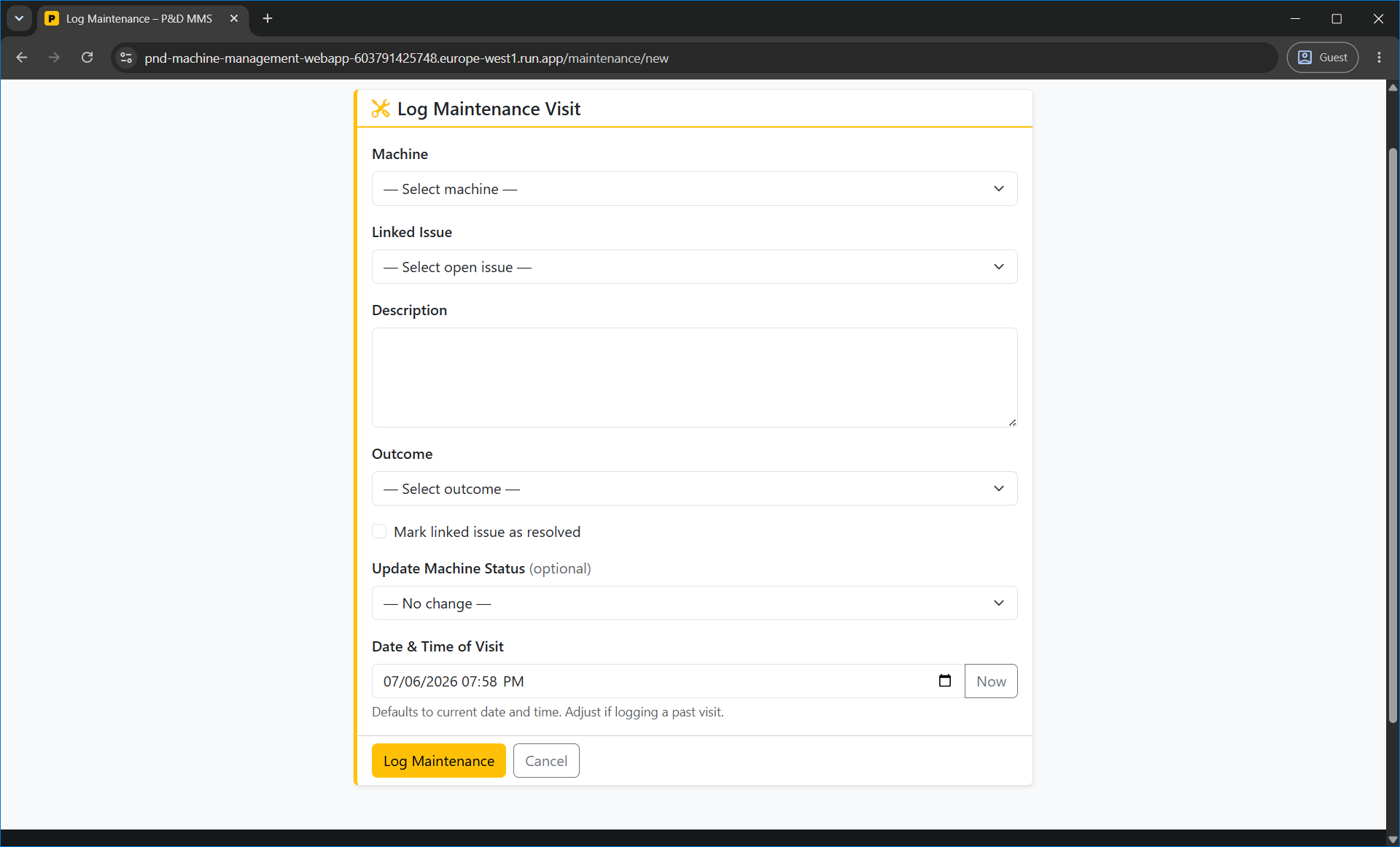
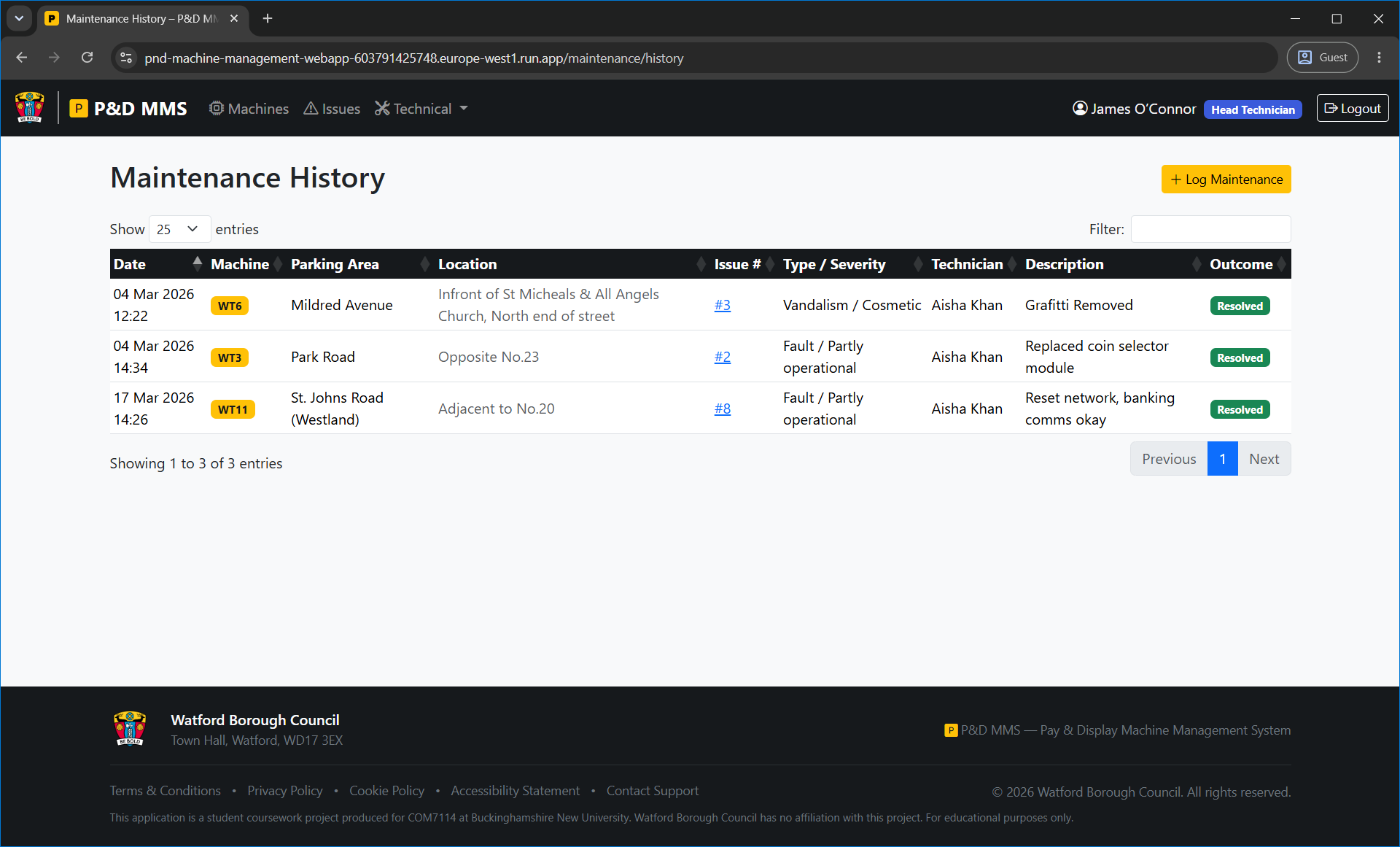
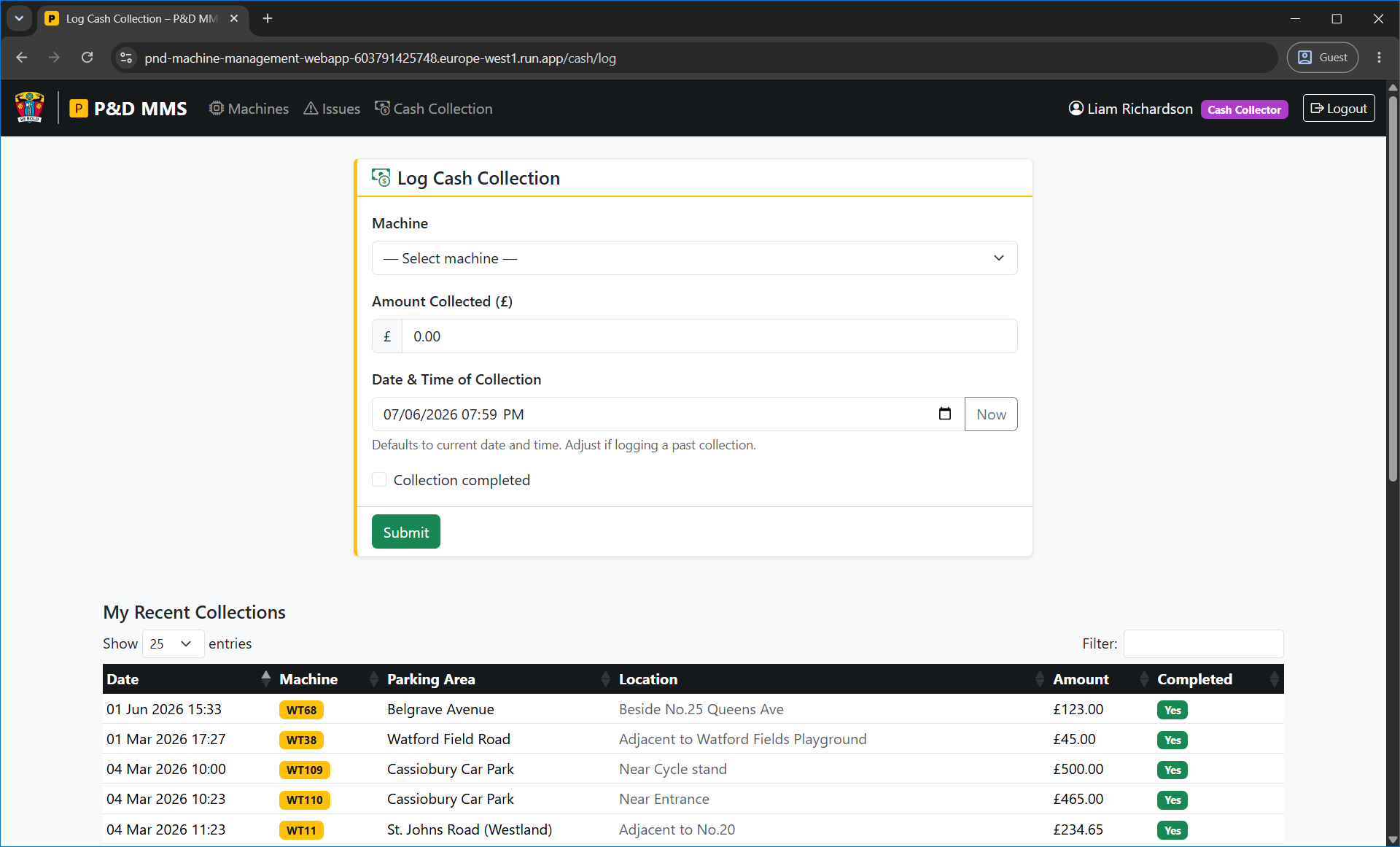
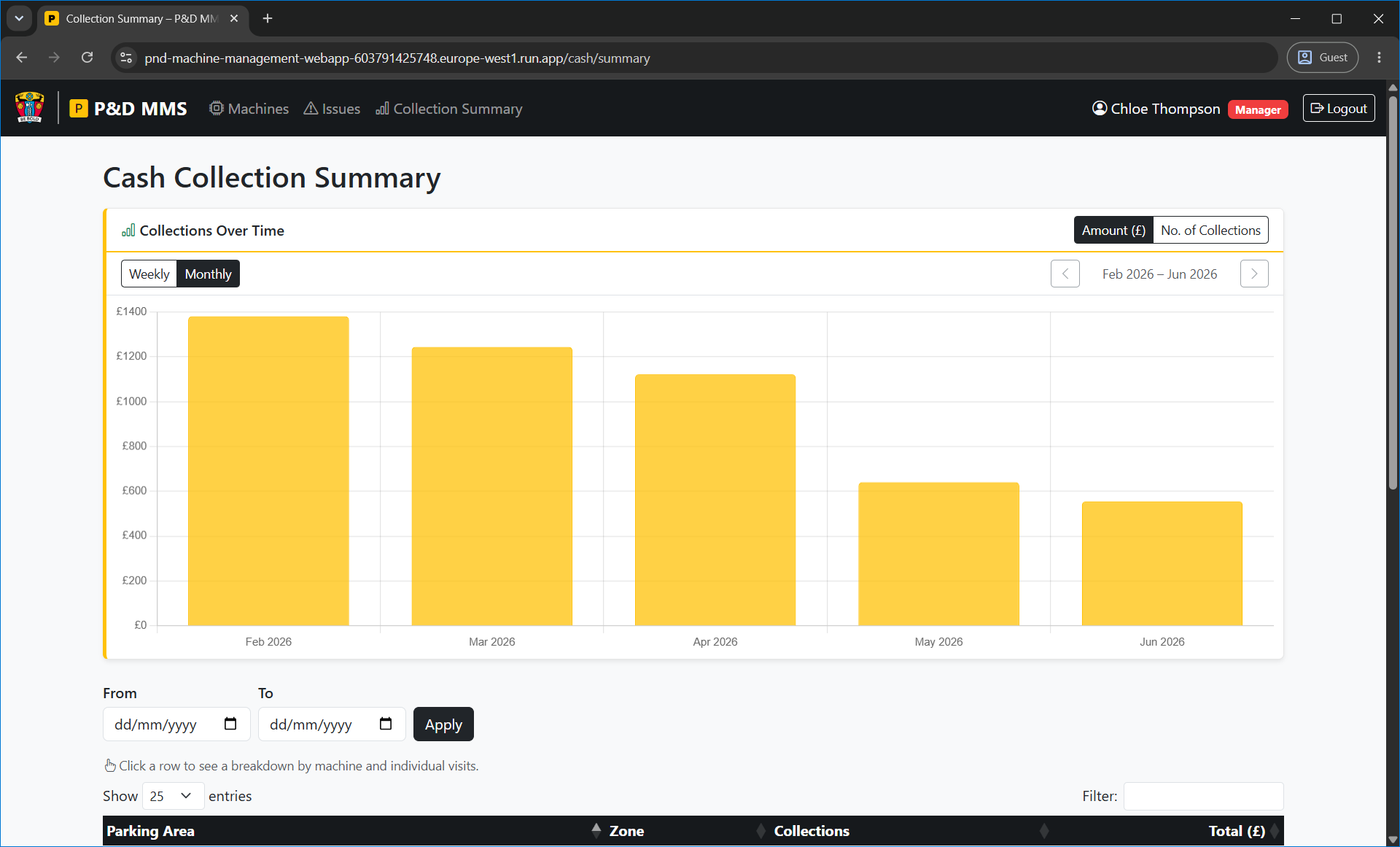
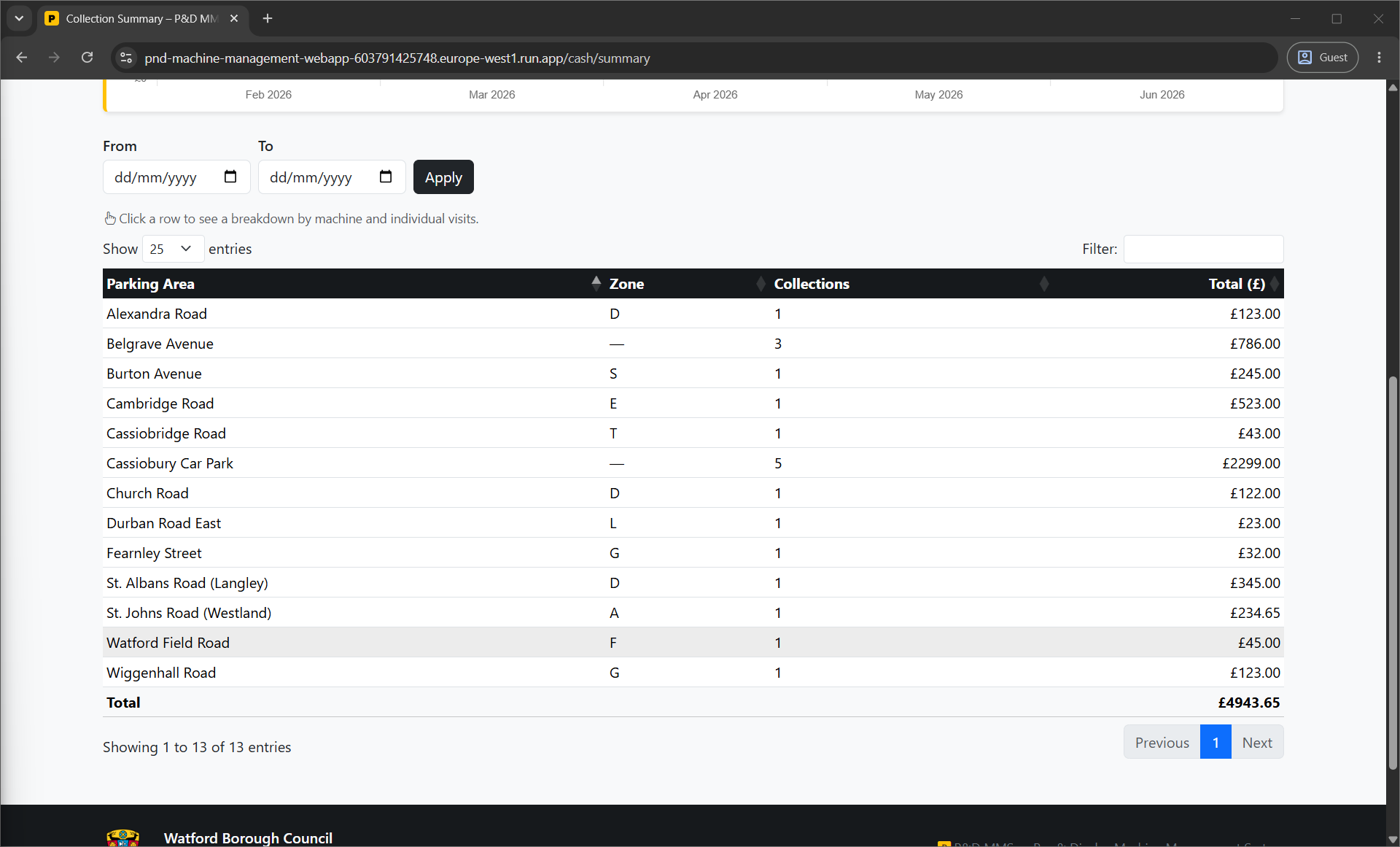
The main areas of the application are: machine management (listing, detail view, add and edit forms); issue tracking (log, view, and resolve); service logging (checklist-based, linked to specific machines); maintenance logging (linked to open issues, with outcome recording and machine status updates); and cash collection (log collections per location, with a summary view and monthly chart for managers).
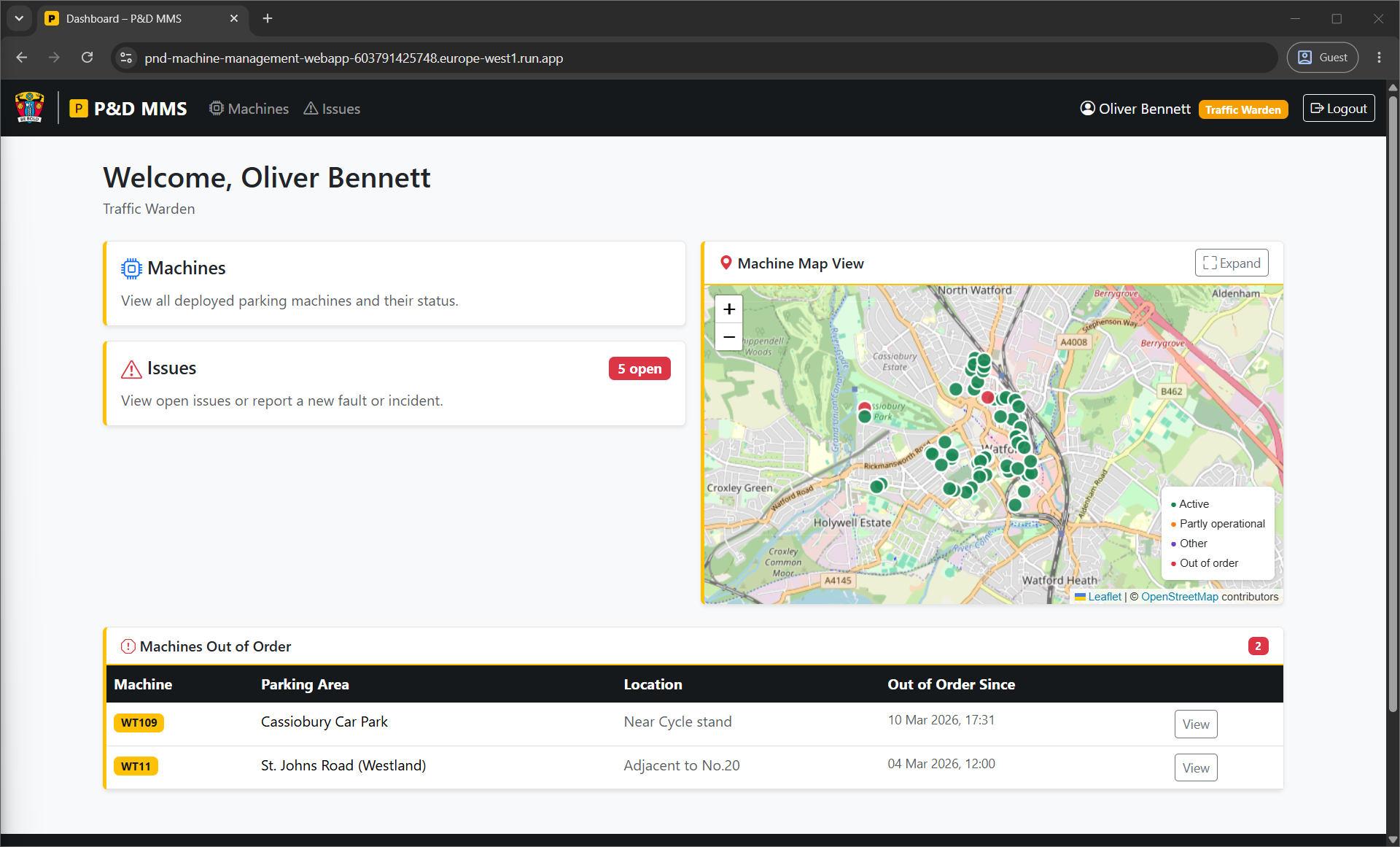
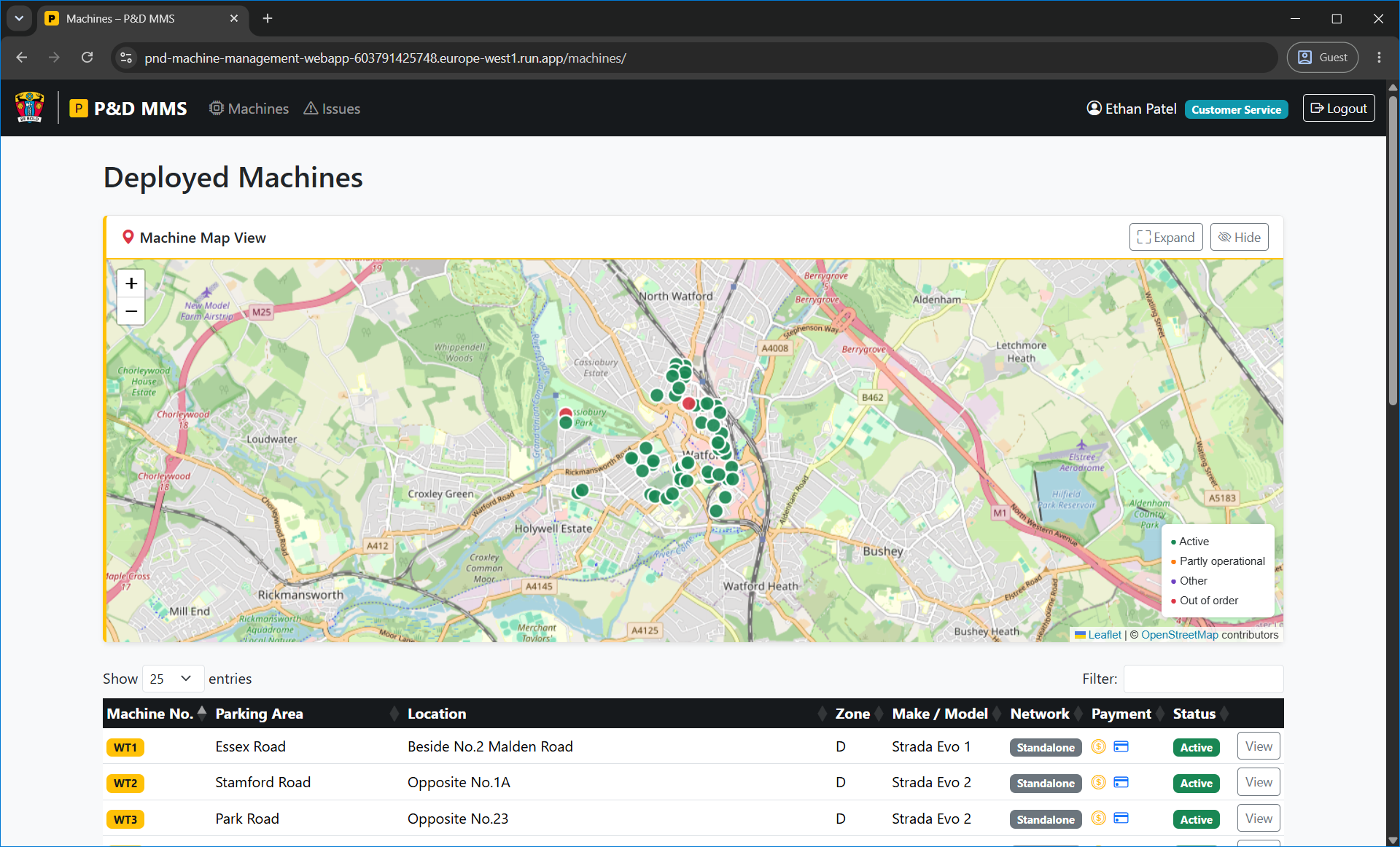
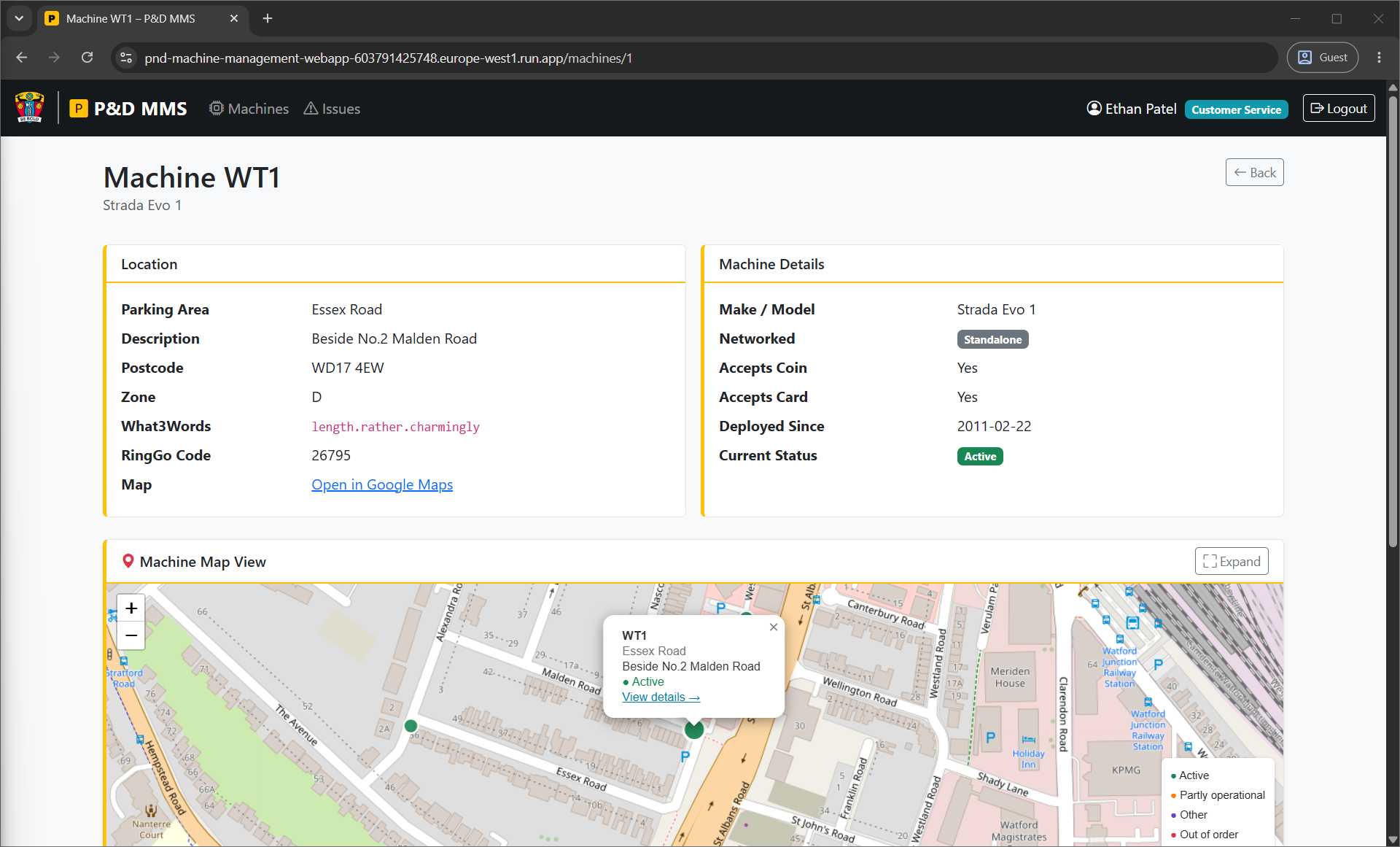
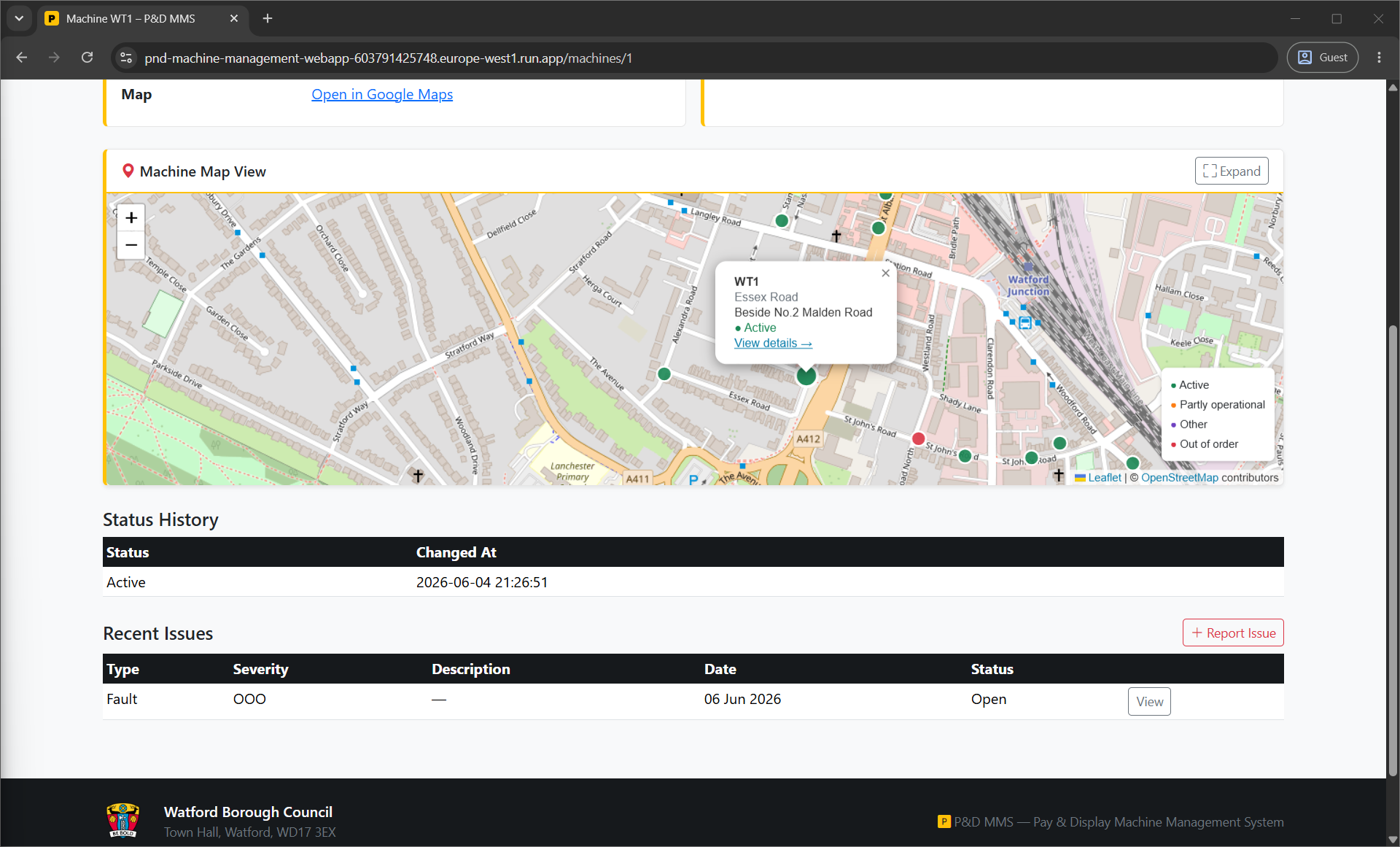
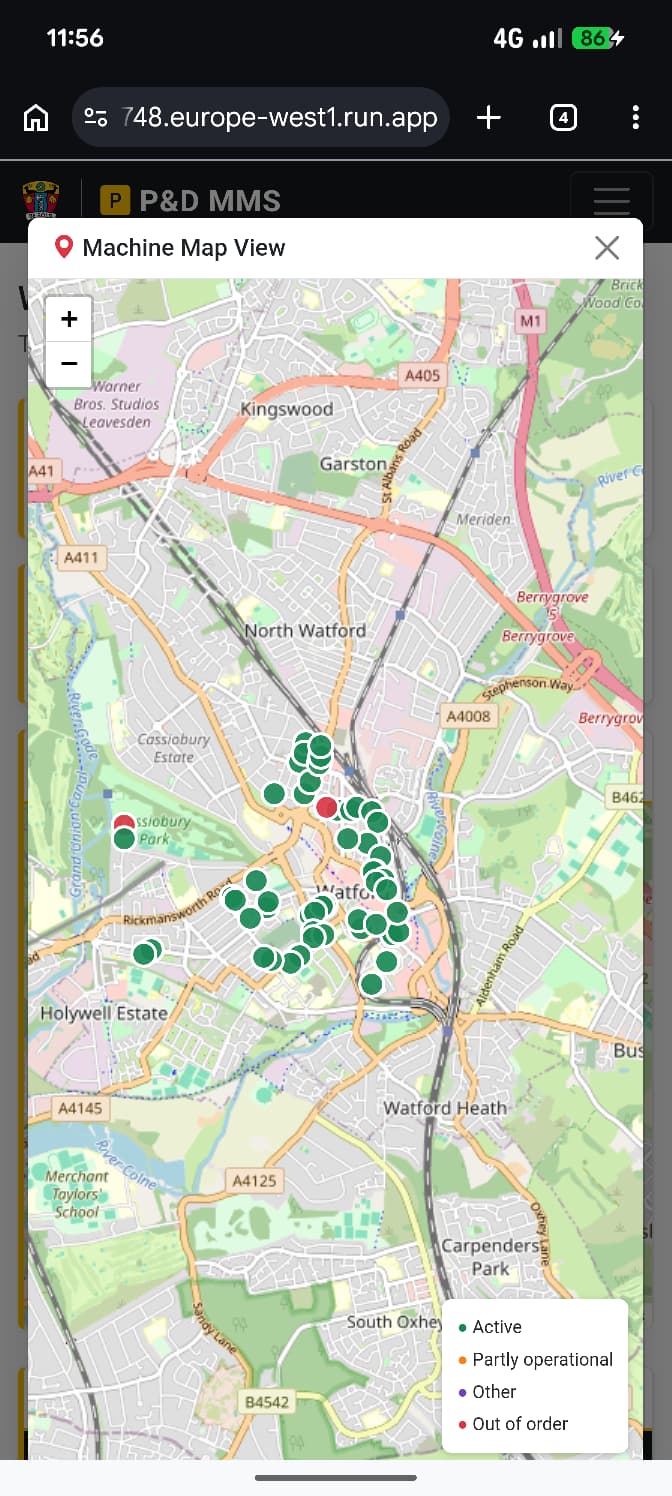
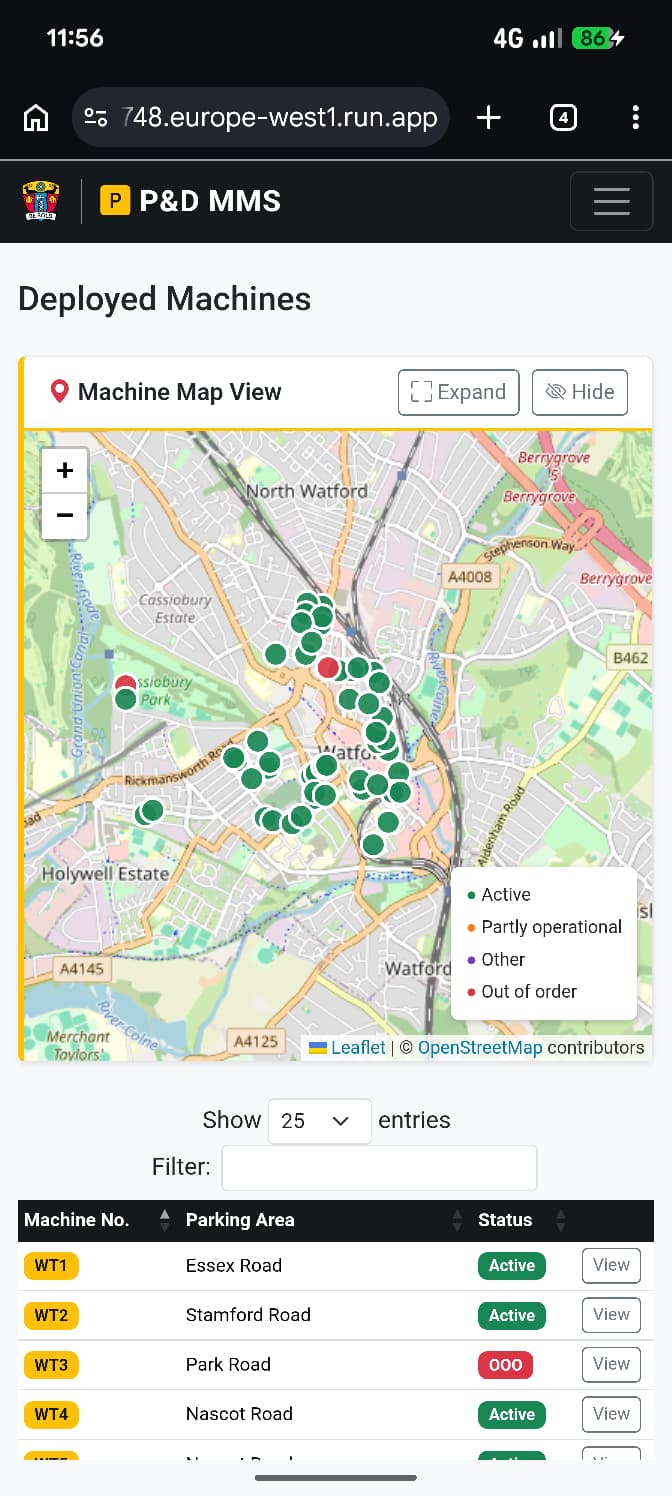
The machine list and detail views include an interactive map built with Leaflet and OpenStreetMap, showing machine locations with markers. This was added because knowing where machines are physically situated is operationally relevant – a traffic warden or technician dispatched to a fault needs to be able to find the machine. The map uses real Watford Borough Council parking zone data, including actual WT reference numbers and RingGo location codes from the database.
The database was populated with realistic data: actual parking areas and zone names from Watford, plausible machine configurations, and a set of test user accounts covering all six roles.
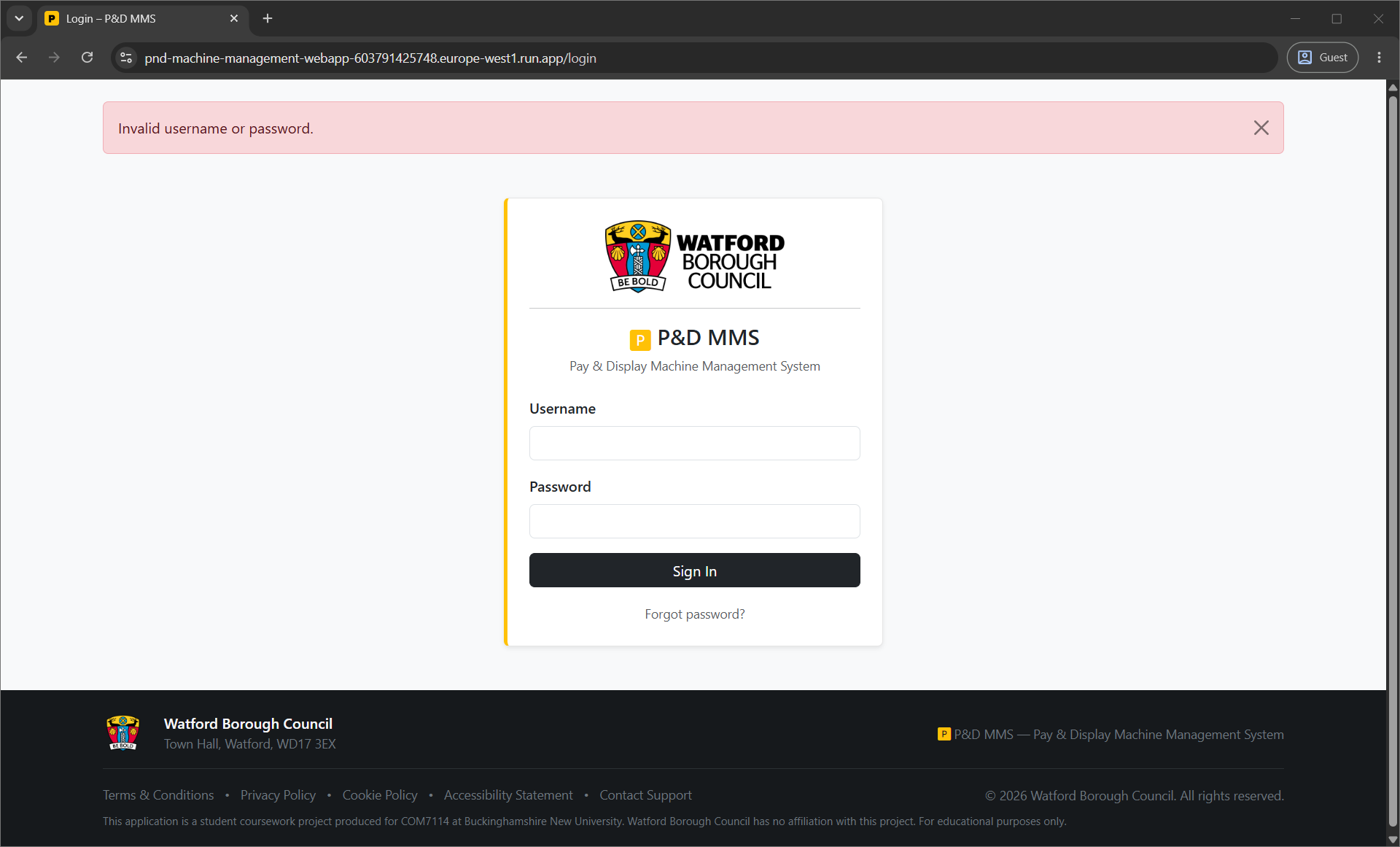
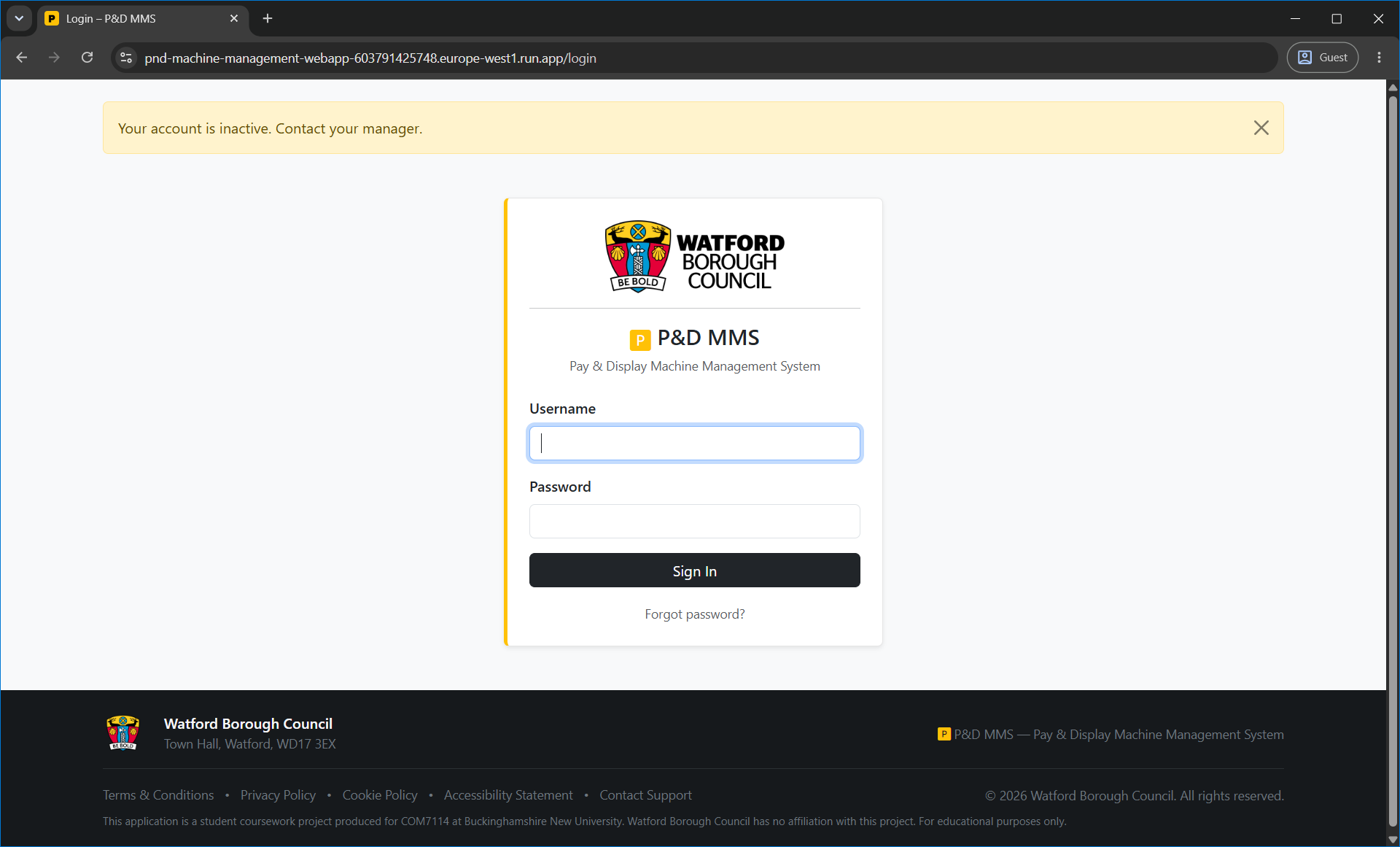
Login
Dashboards by Role
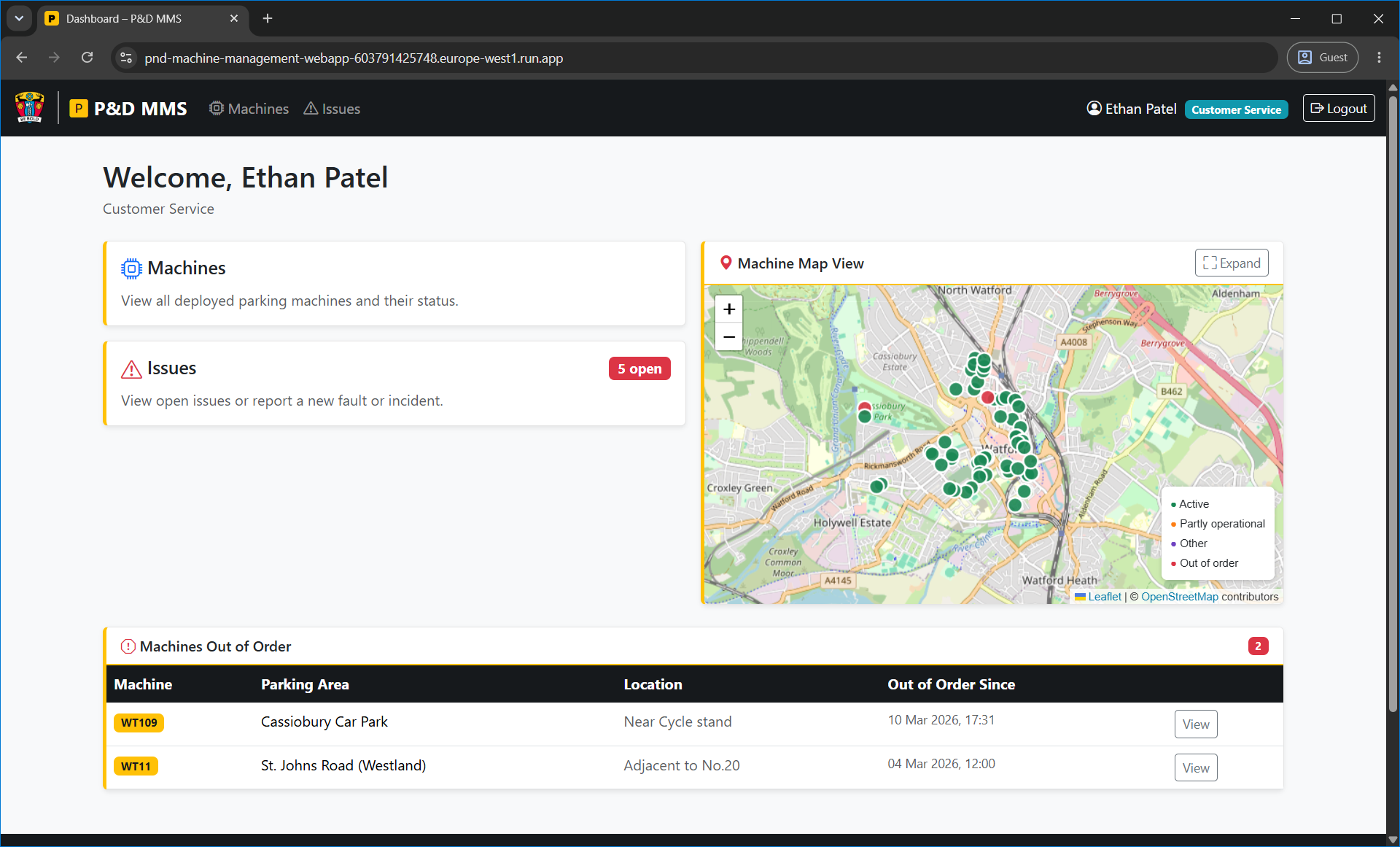
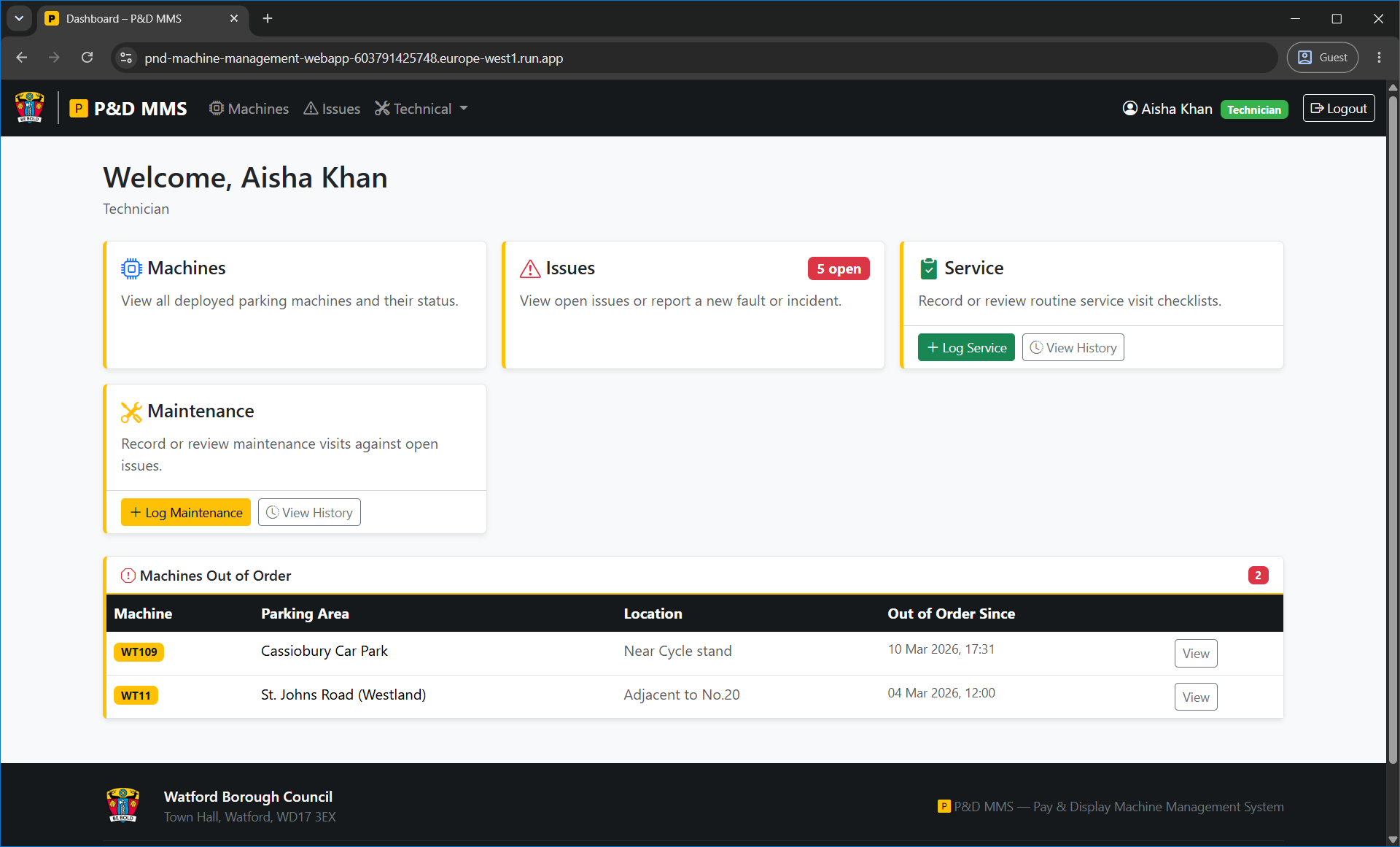
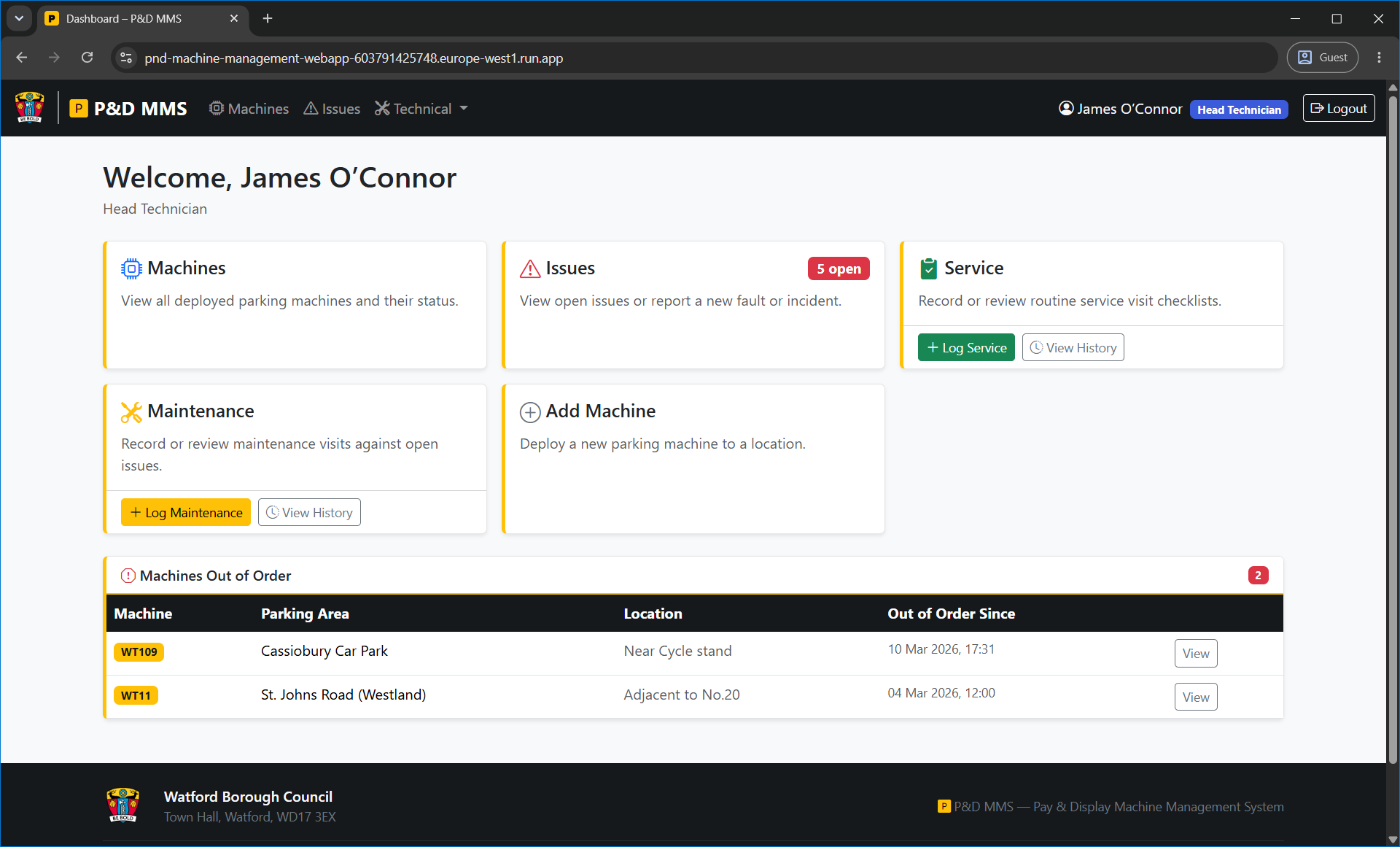
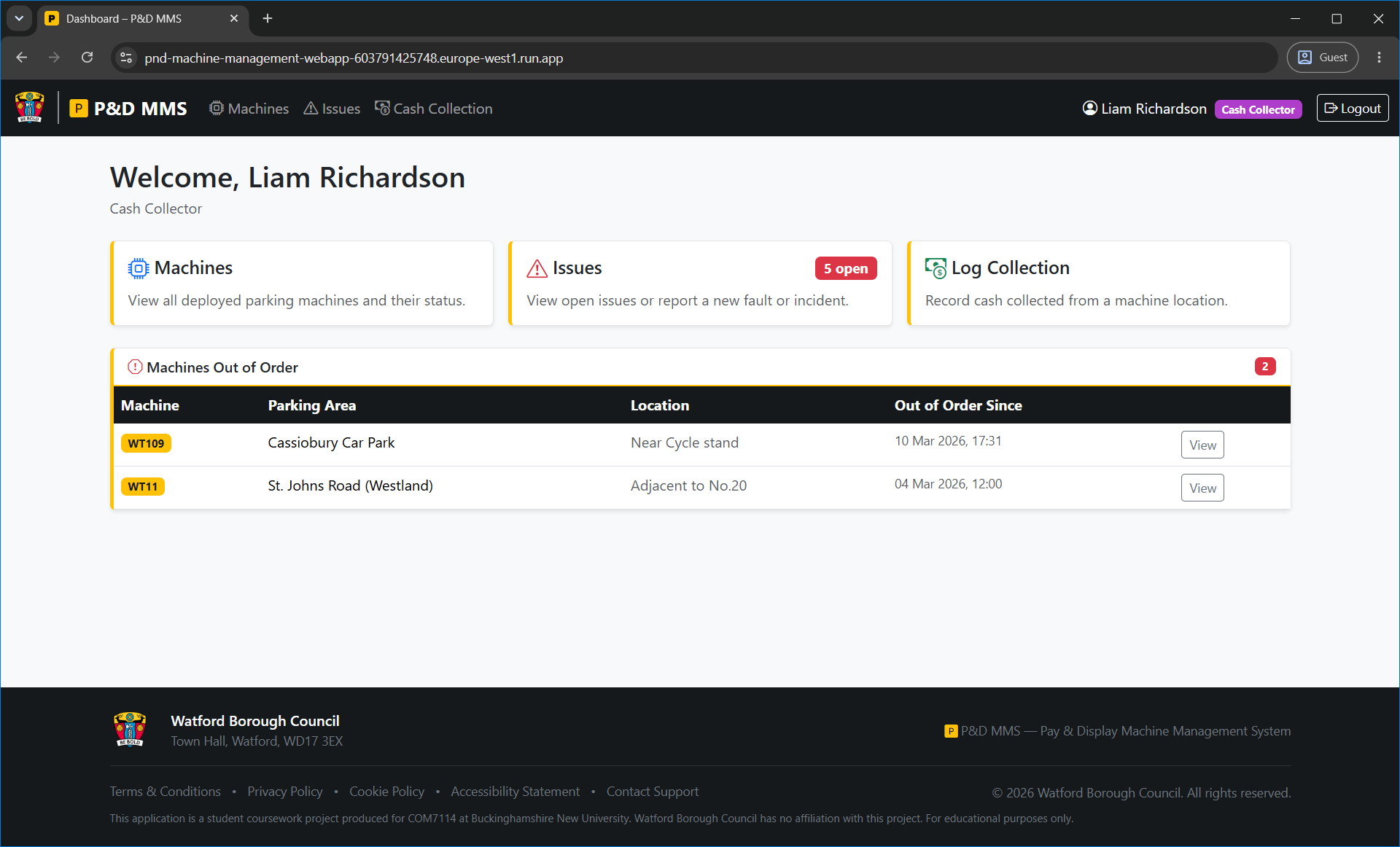
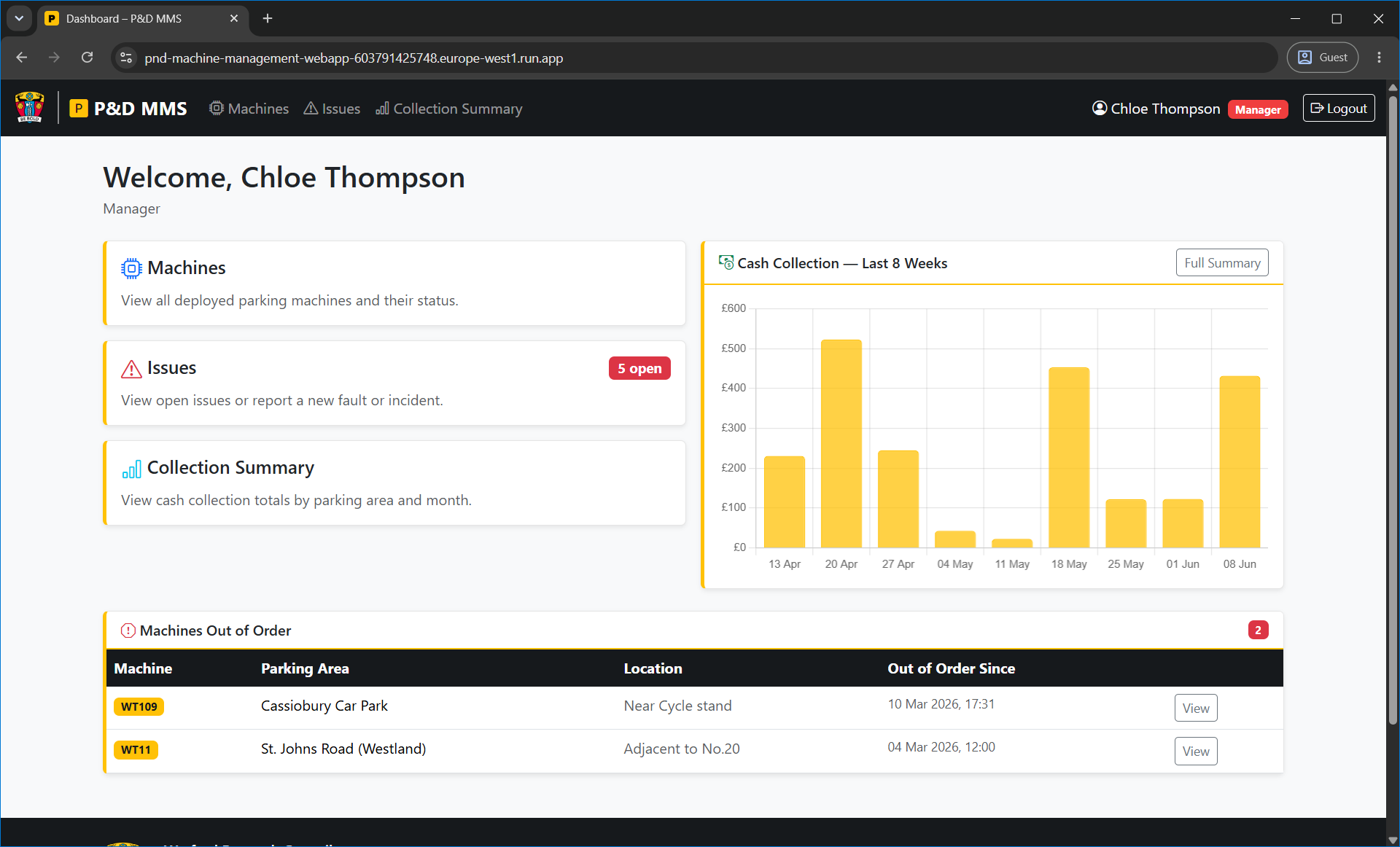
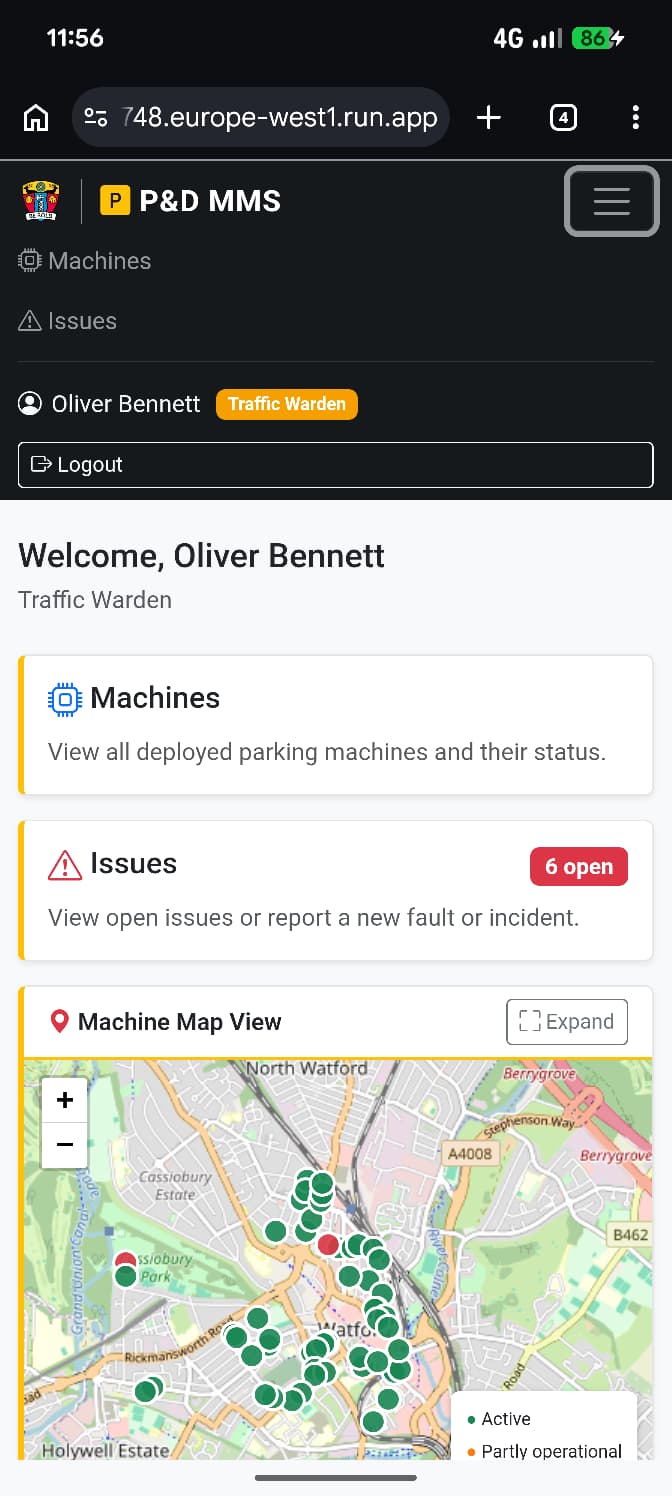
Each of the six roles sees a different dashboard on login, with navigation cards and actions specific to their permissions.
Machine Management
Issue Tracking
Service and Maintenance Logging
Cash Collection
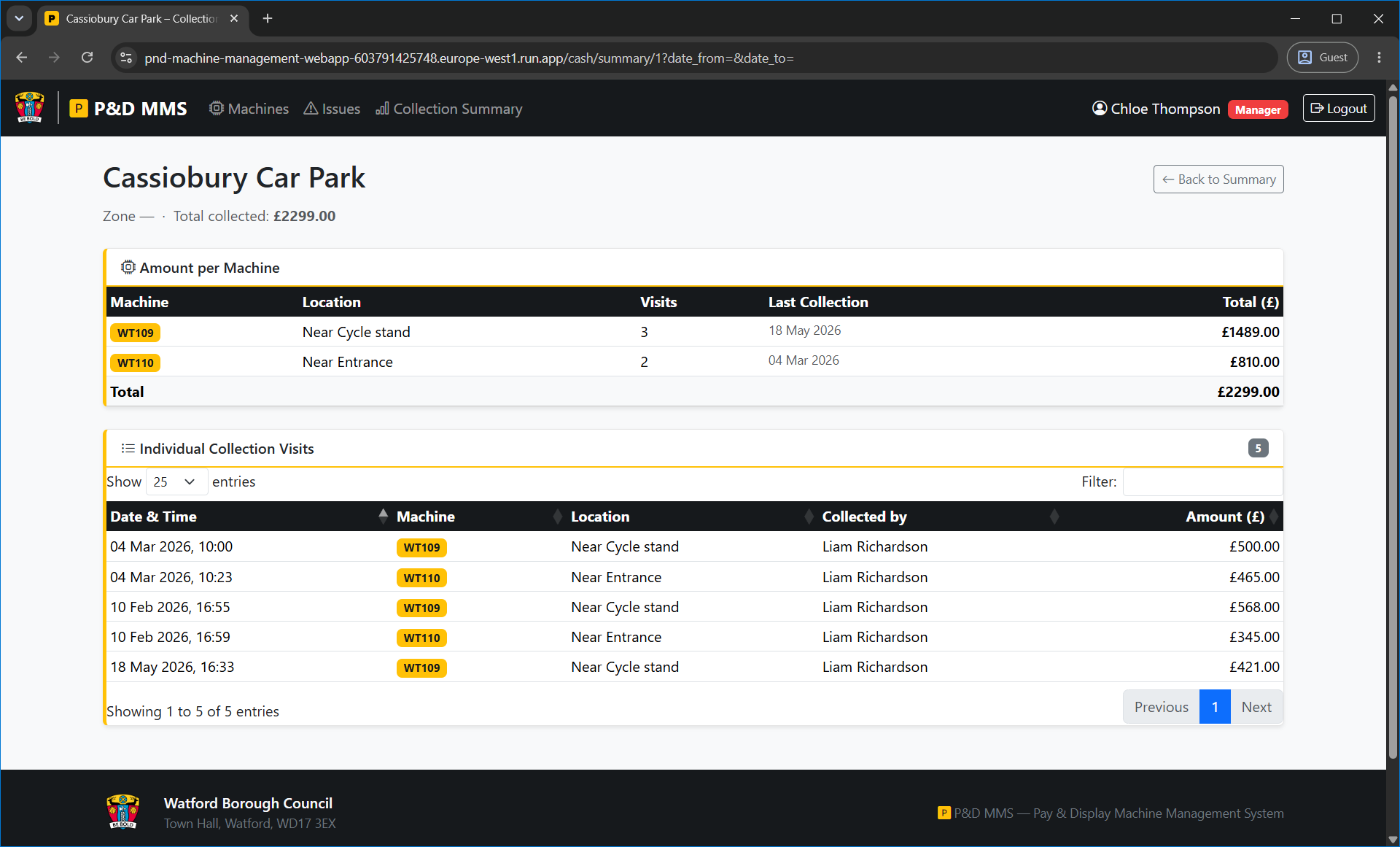
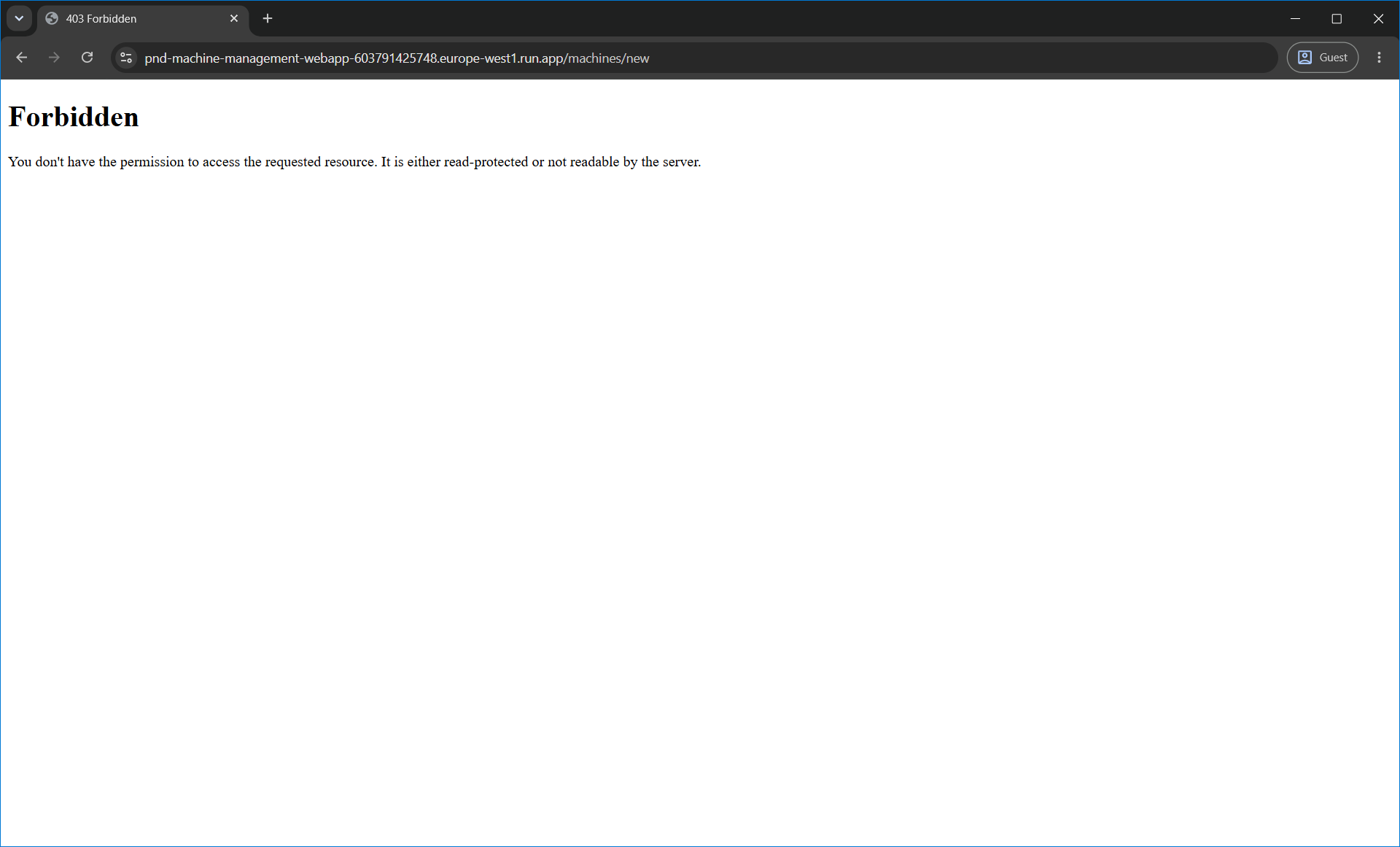
Access Control in Action
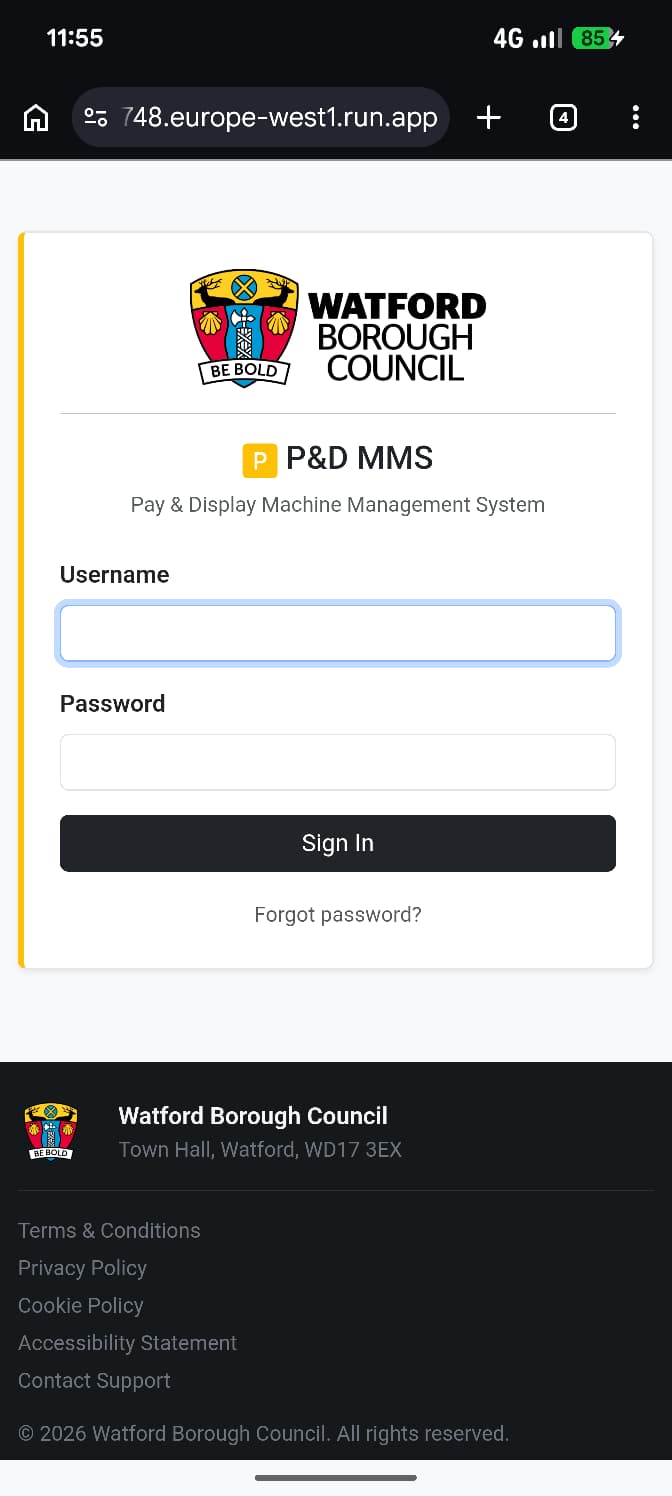
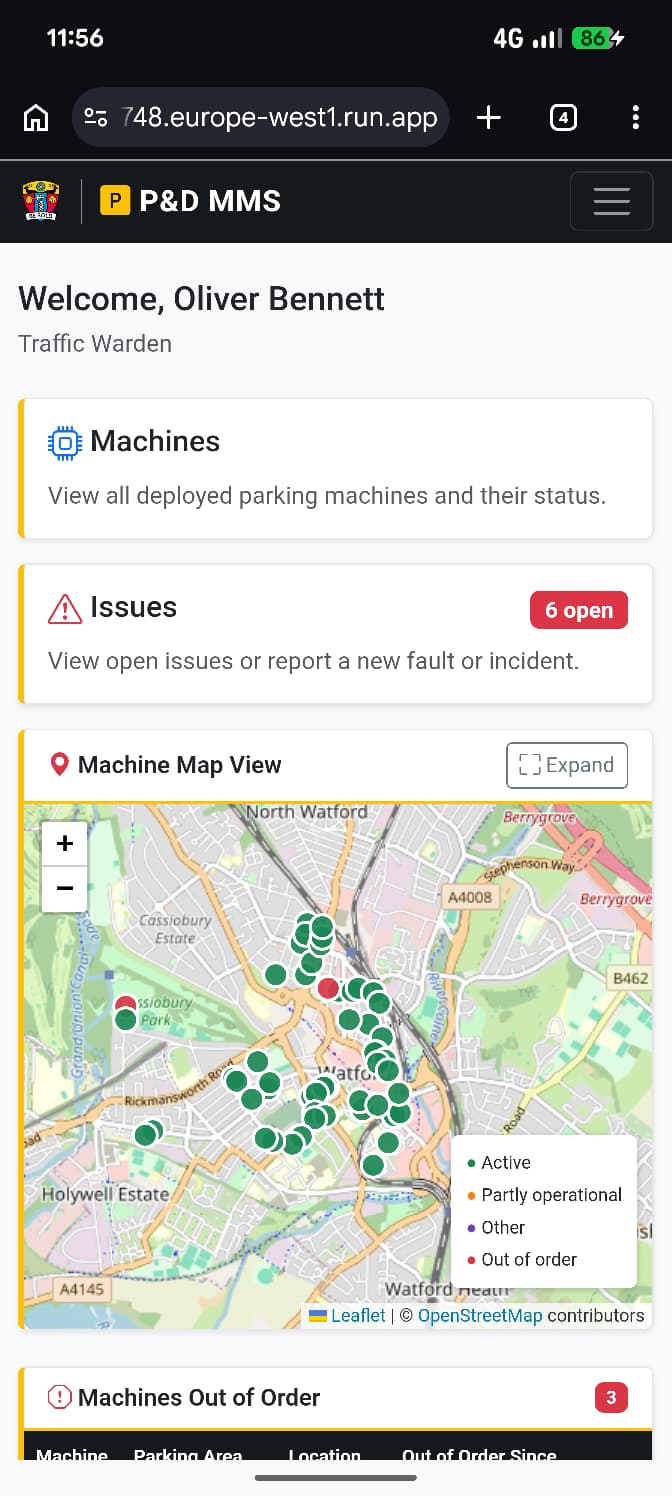
Mobile Views
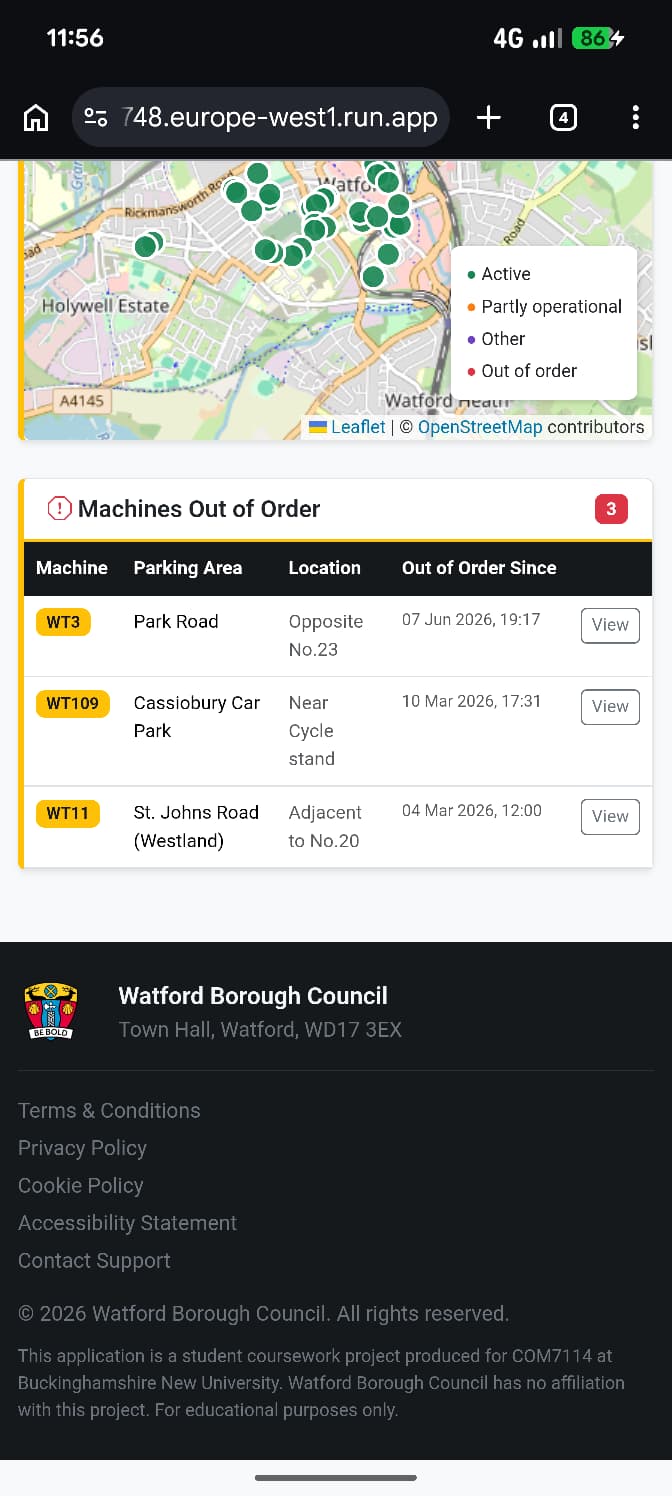
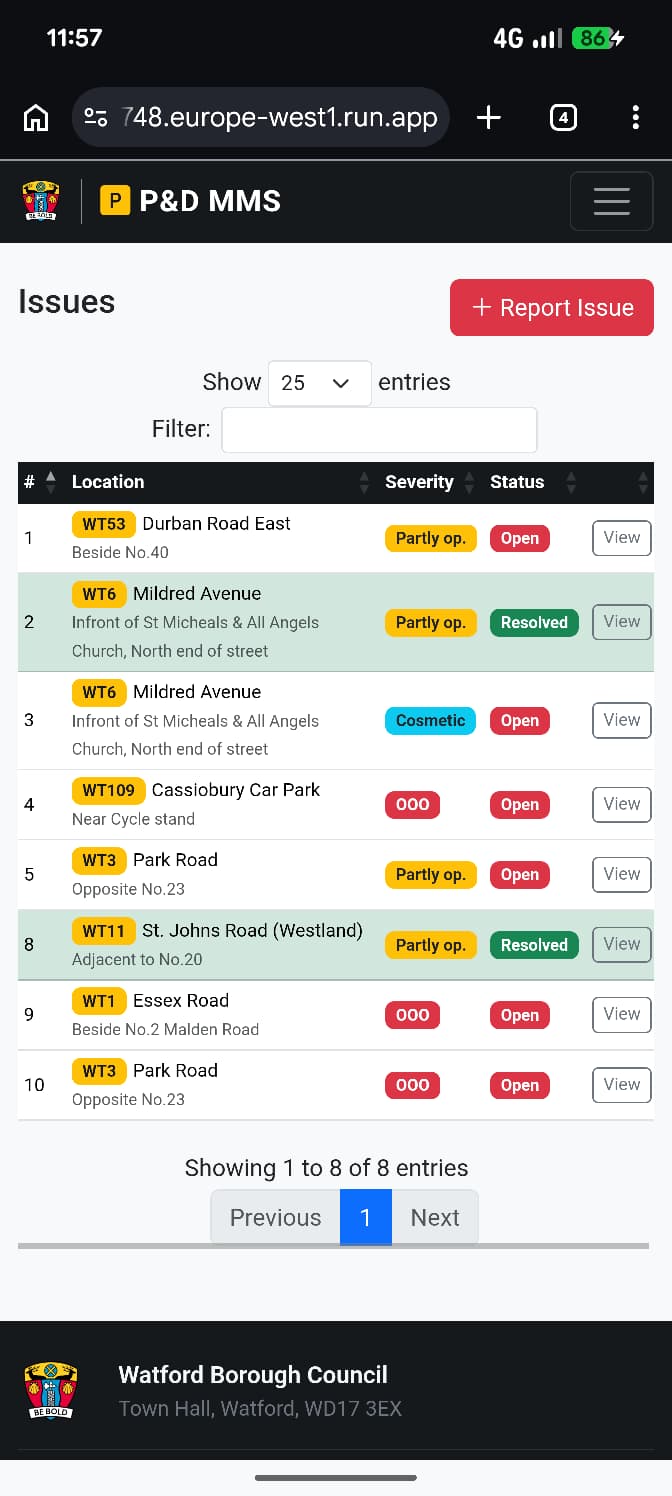
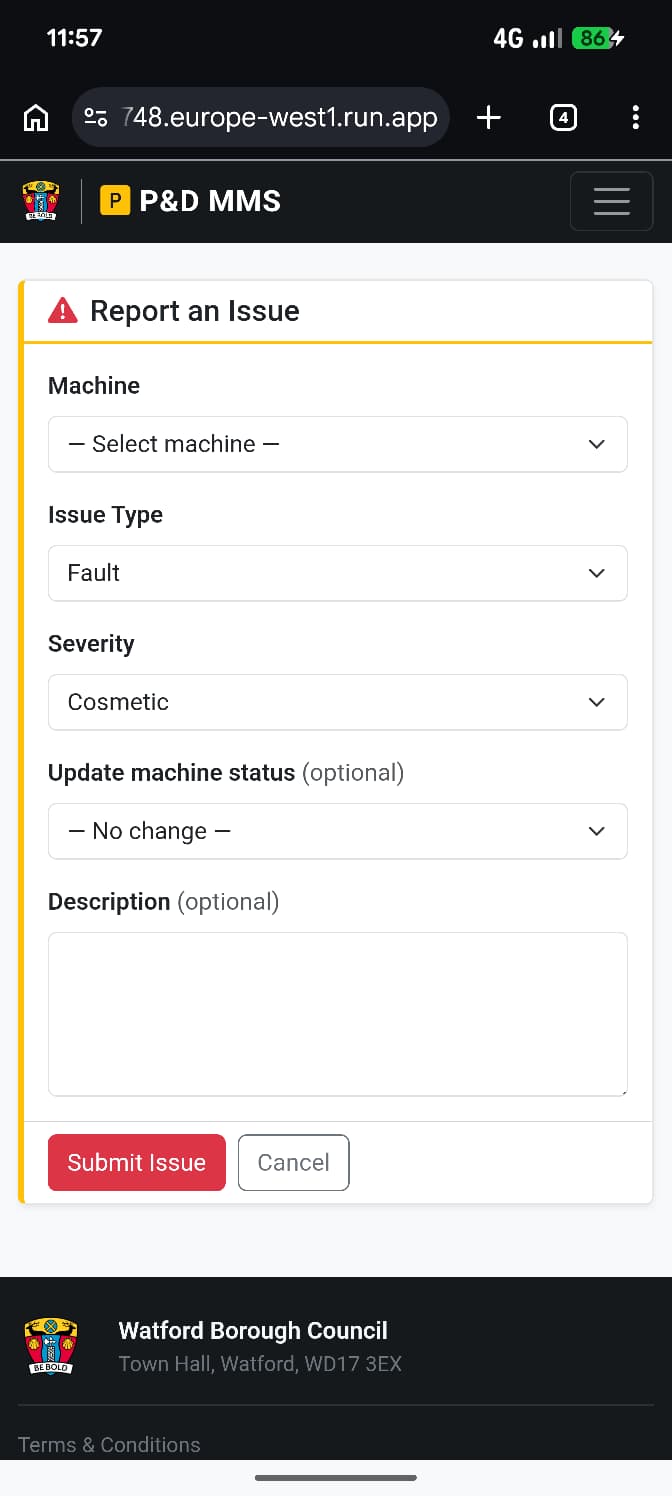
The application is fully responsive. Below are mobile screenshots across key pages.
Role Demo Videos
Walkthroughs of the application from the perspective of four different user roles.
Traffic Warden
Head Technician
Cash Collector
Manager
Infrastructure and Deployment
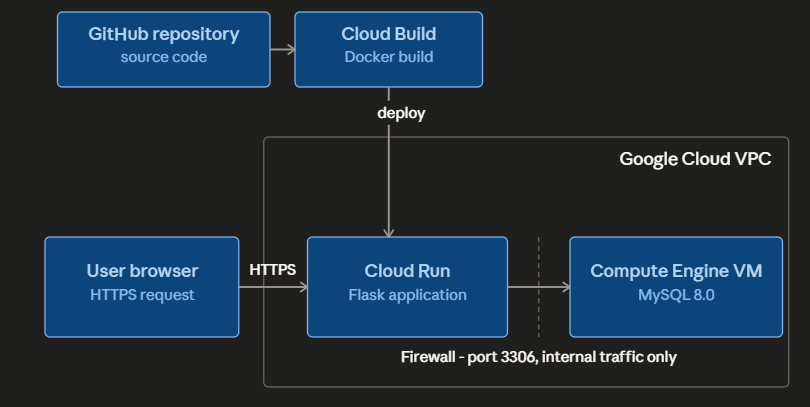
The application was deployed to Google Cloud Platform. The Flask front end runs on Cloud Run, which handles containerised deployment and automatic scaling. The MySQL database runs on a Compute Engine VM instance.
The database VM is not publicly accessible. It sits within a VPC, and the firewall is configured to allow connections to the database port only from internal traffic within that network. The Cloud Run service connects to the database via the internal VPC address. From the public internet, the database port is unreachable.
Security: What Works and What Doesn't
The application was built as a working demonstration, not a production system, and there are security limitations that reflect that context honestly.
The most significant issue is credential management. Development database credentials were left in the application's config.py file, which was committed to the GitHub repository. This was later updated to use a .env file. In the Cloud Run deployment credentials were injected at runtime via environment variables and in the production system this would be followed as well and secrets would never appear in source code.
Passwords for test user accounts are also simple and stored in a way that would not be acceptable in a live system. A real implementation would require strong password policies, bcrypt or Argon2 hashing, and session management with appropriate timeout and CSRF protection.
This reduced security approach of having the passwords of the example users presented in the GitHub and having the development database passwords exposed was done in order to have the project in a way that could be easily recreated on another system for demo purposes.
On the other side: the database access model is genuinely sound. The VM hosting the database is accessible only from within the VPC, and the firewall rules enforce this at the network level. The role-based access control is implemented in two layers – the application UI and the database triggers – which means access restrictions are not solely dependent on the front end behaving correctly.
What I Would Do Differently
The credential management issue is the clearest thing I would change, and it is a straightforward fix: use environment variables from the start, never commit secrets to version control.
The database design is something I am genuinely proud of. The 92 felt earned. The web application is functional and demonstrates the role model well, but there are areas where I would invest more time in a second pass: improvement in the addition of new machines, integration with networked machines to have self-diagnostic data and live status updates come through to this system, and an admin user management feature. These are the things that separate a working prototype from something production ready.
What this project showed me is that I can take a real-world operational problem, design a data model for it from scratch, and build a working system on top of it. That combination of skills – relational thinking, database implementation, and application development – is something I want to continue developing.

Comments Authorised users only
Welcome to the portfolio. If you've got the password, (you know who you are) leave a note.